Café
Pharos runs the tables, till, and stock of your café.
It reads invoices itself. When your ingredients go up in price, it suggests a new selling price so your profit does not melt away.
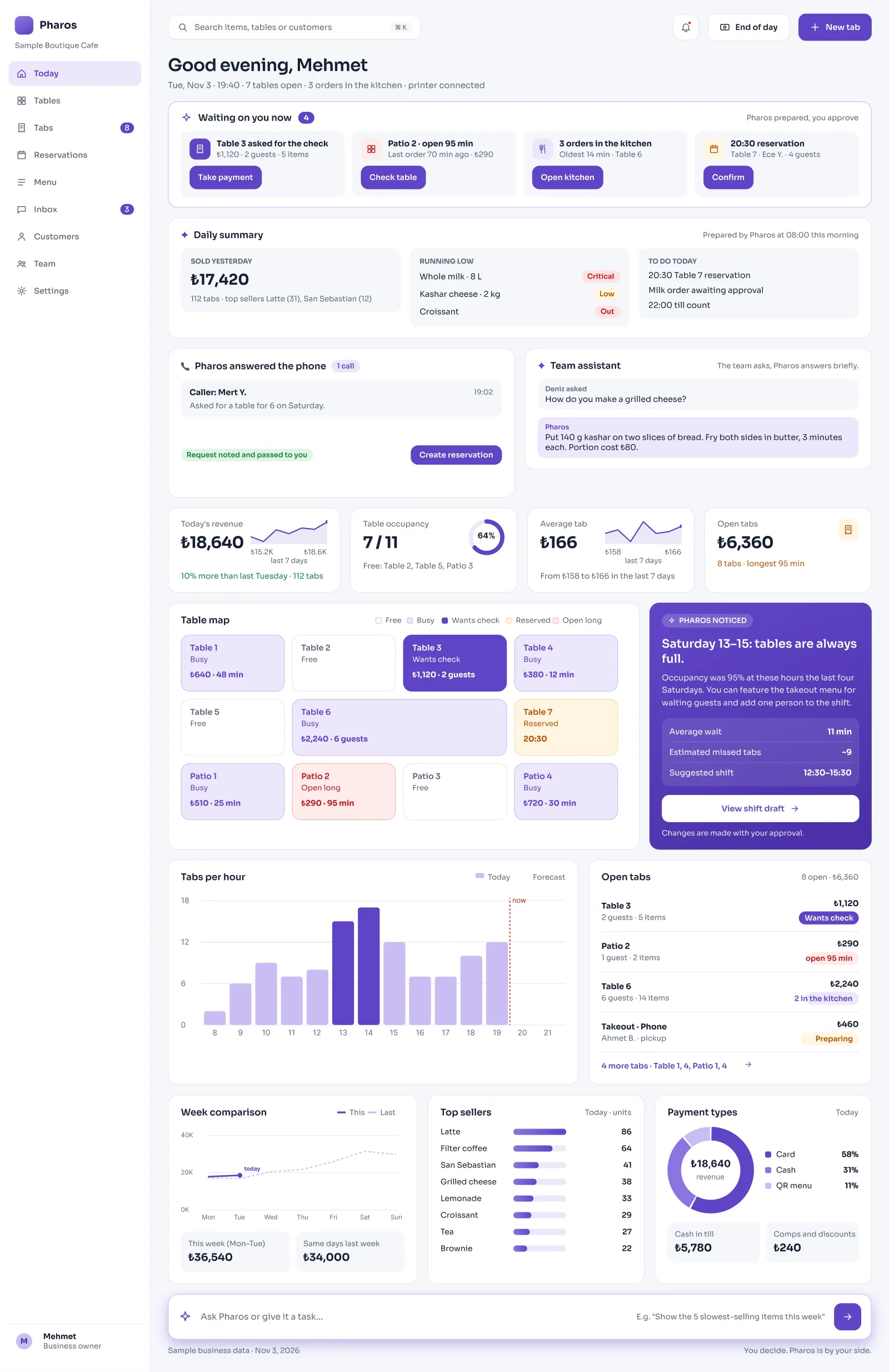
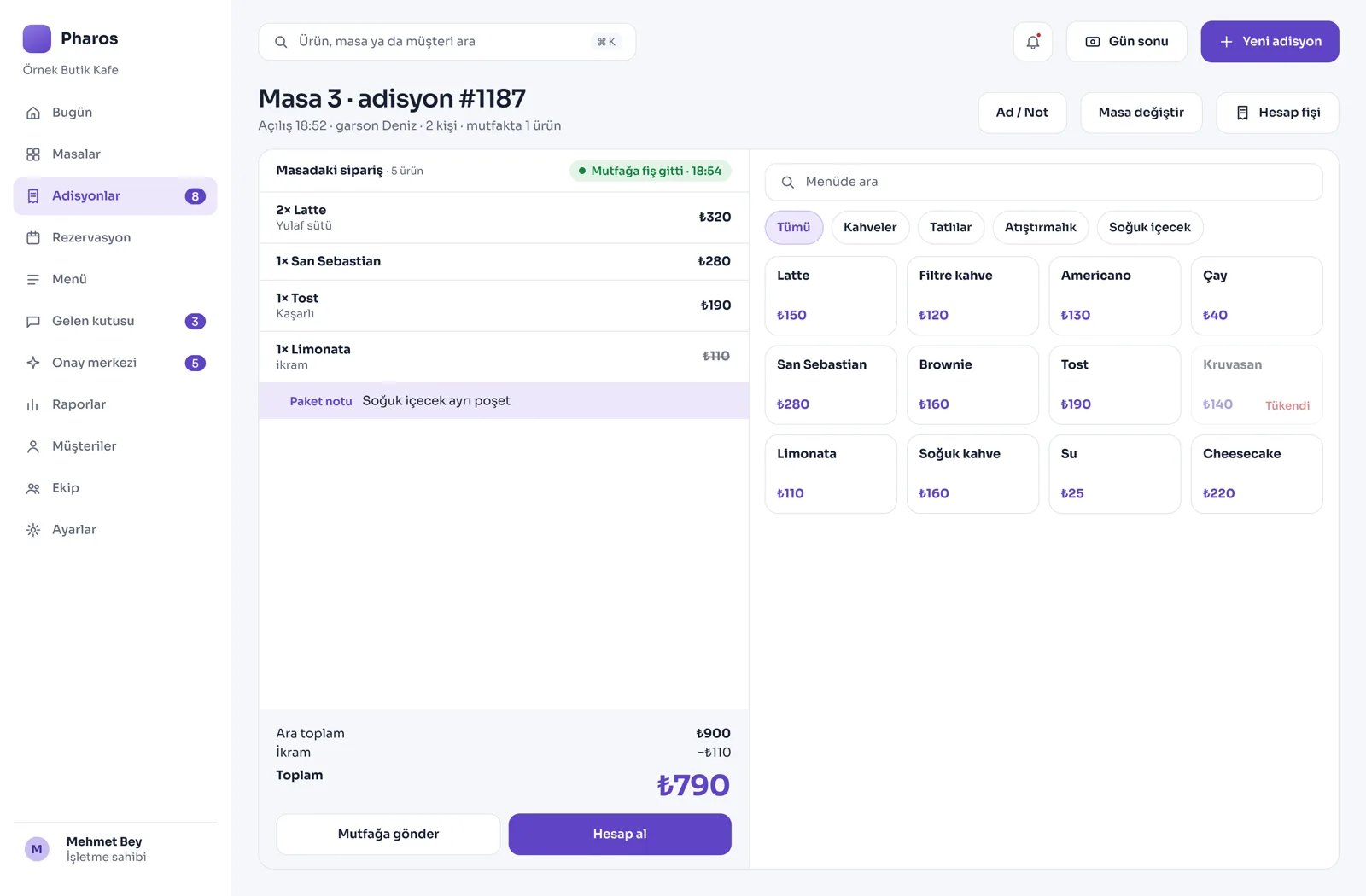
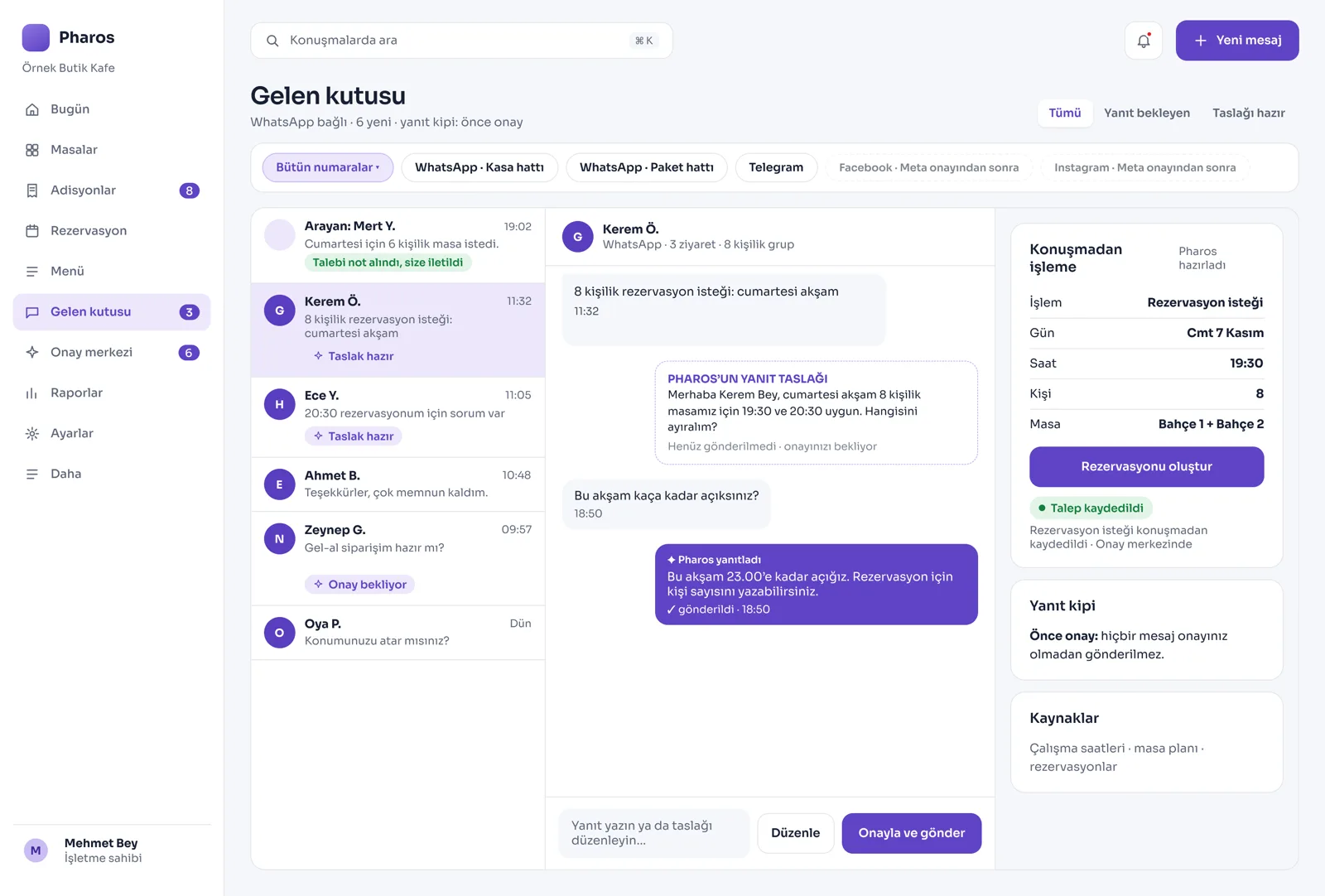
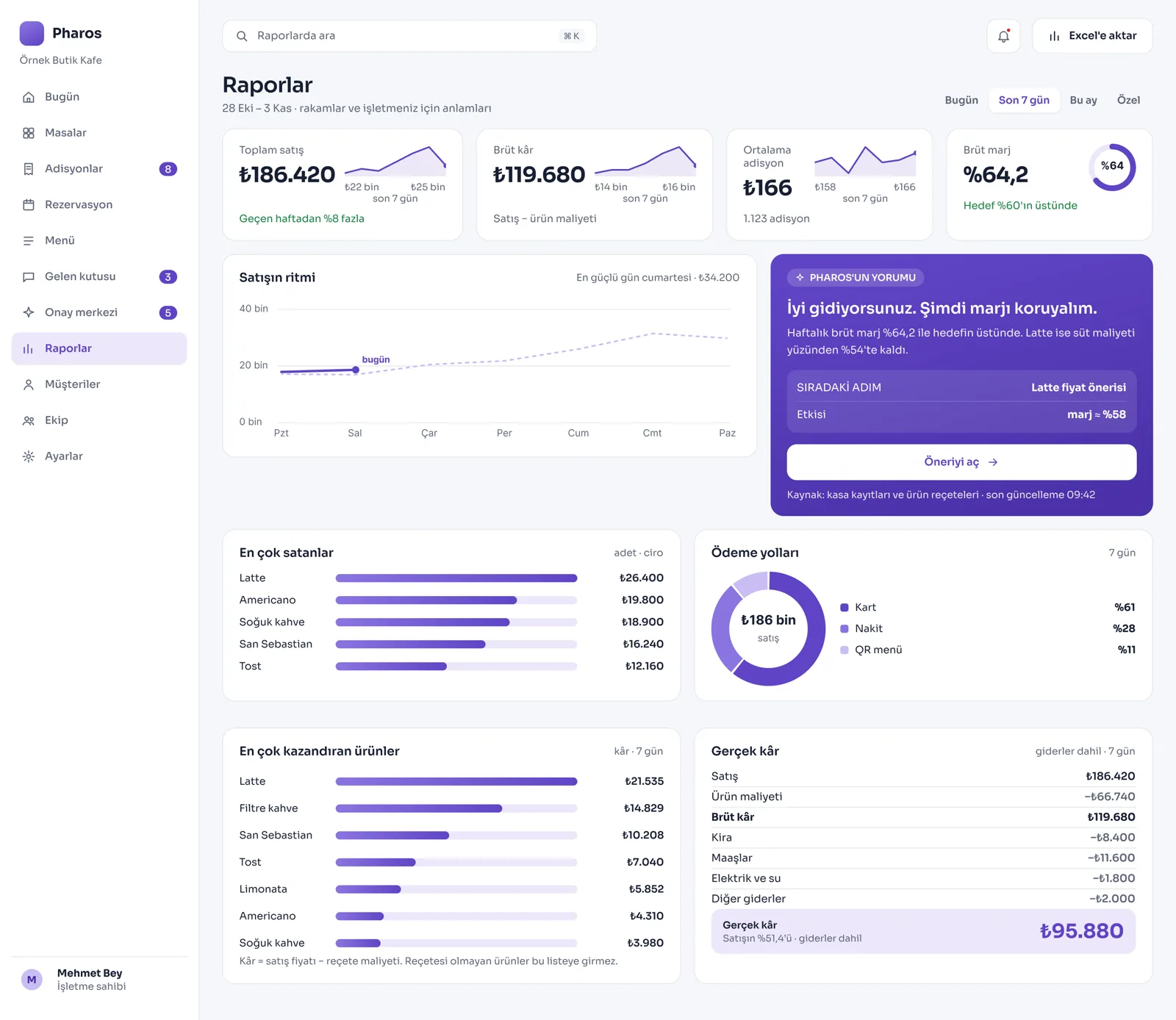
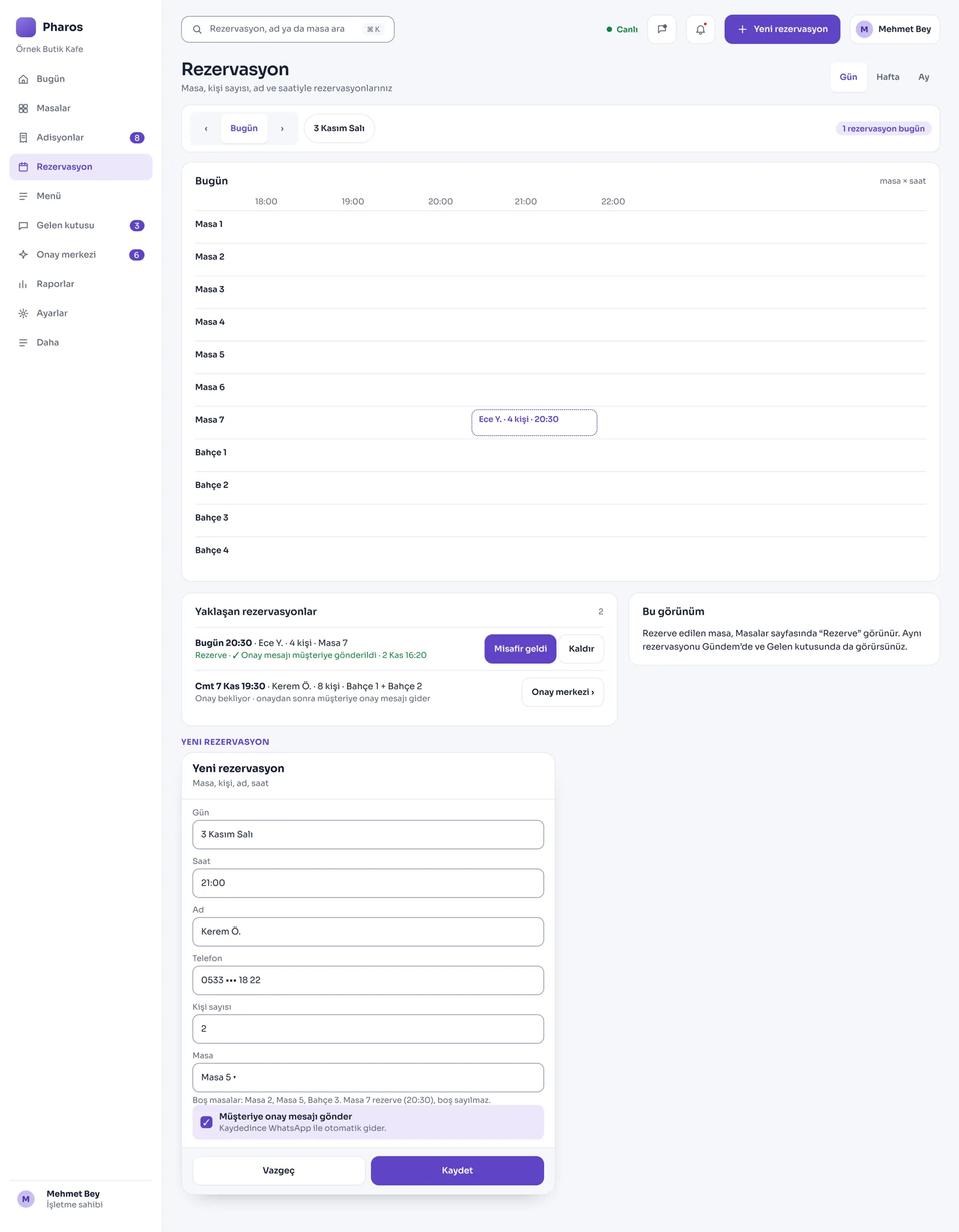
Screens from the Panel
This is how Pharos looks in your business.
Names and numbers on the screens are examples.
A Day in Your Business
Opening the Door in the Morning: Yesterday's sales summary is on the screen. So are the ingredients that have run out and today's jobs.
During the Day: Tables get busy, checks open, and customer messages flow in. Pharos records this whole process in the background and keeps calculating your net profit.
No Longer Your Problem
- Entering incoming ingredient invoices into the computer line by line, one at a time.
- Noticing days later that a price rise in coffee beans or milk has eaten your profit.
- Leaving reservation and order messages that arrive late at night unanswered until morning.
What Pharos does in your business
What Does Pharos Do in Your Café?
Table, Till, and Check Management
- Flexible Dining Room Management: A table map made for cafés, check tracking, and a floor plan of your dining room.
- Splitting the Check: Take the checks of guests at the same table separately, or divide the total by the number of people.
- Fast Service Flow: Send orders to the kitchen screen or printer within a second. Print kitchen, check, and cancellation tickets without waiting.
- Detailed Till Operations: Record refunds, comps, discounts, tips, and payment corrections in full, within each person's permissions.
- Automatic Exchange Rates: Exchange rates come in live from the Central Bank; when you take payment in foreign currency, you have no rate confusion.
- Honest Till Count: The cashier counts without seeing the money the system expects. Differences are recorded with a reason, and the till handover is completed safely. The till keeps working even if the internet drops.
Recipe, Stock, and Cost Tracking
- Real Product Cost: Define the recipe of every coffee and dessert you sell, and see the net cost per portion.
- Smart Price Suggestion: When ingredients go up in price, Pharos spots the products whose profit has dropped. It suggests a new price so you do not lose money.
- Stock Entry from a Photo: Take a photo of the supplier's invoice; Pharos reads the items on it and prepares them for stock, and posts them to the system once you approve.
- Critical Stock Alerts: The system warns you before your ingredients run out. It also puts your daily kitchen prep list in front of you automatically.
- Supplier Orders: Record the orders you give to suppliers and track their status.
Customer Communication, Menu, and Reservations
- Three-Language QR Menu: Offer your customers a digital menu in three languages. Automatically add your Wi-Fi password and QR menu link under receipts. With AI support, translate your menu into English and Russian and fill in empty product descriptions.
- Advanced WhatsApp Management: Automatically turns order and reservation requests from customers into drafts. You can set the WhatsApp reply mode to off, draft, or automatic, depending on the situation of your shop.
- Social Media and Telegram: After your Meta approval steps, you can also manage Instagram and Facebook messages from the panel. You can also receive incoming orders as notifications on Telegram.
- Customer Loyalty: With loyalty cards and points systems, bring coffee lovers back to your café.
- Delivery Orders: Take delivery orders from the phone and your website, assign the courier, and track delivery status.
Management, Reporting, and Support
- Net Profit Reports: With sales analysis, discover the profitable products that go unnoticed but actually earn you the most. See the day's priority steps on the panel every morning.
- Website Managed from the Panel: Your café gets its own website, and you can update it directly from the Pharos panel.
- Permissions and Approval: Set roles for your staff. For critical operations, activate the on-the-spot manager approval mechanism.
- Staff Training Support: Pharos instantly answers your team's "How do I do this?" questions about the system and teaches the job.
- Easy Switch: You can easily import past sales data stored in your old program into Pharos.
Is there something specific to your café that is not on the list? Write it below, and we will tell you right away whether we can add it to Pharos.
Frequently Asked Questions
Can I update my QR menu myself?
Yes. The moment you change a price, photo, or sold-out status on the panel, the QR menu at the table updates within seconds.
Is there a loyalty program that will bring my loyal customers back?
Yes. Your customers can earn points from what they spend, and you can easily run campaigns such as "a free coffee after 5 coffees" from the system.
Can I see which coffee and which dessert really make money?
Yes. Thanks to the recipe definitions, Pharos compares ingredient costs with the selling price and reports the products with the highest net profit.
Can everyone at the same table pay separately?
Yes. Pharos splits the check by item or equally by the number of people, so everyone pays their own share with their own method (cash, card, and so on).
Let us map out your first roadmap together.
Tell us about your café. We prepare your free roadmap and a personal demo. No commitment.
Apply