Grocery store
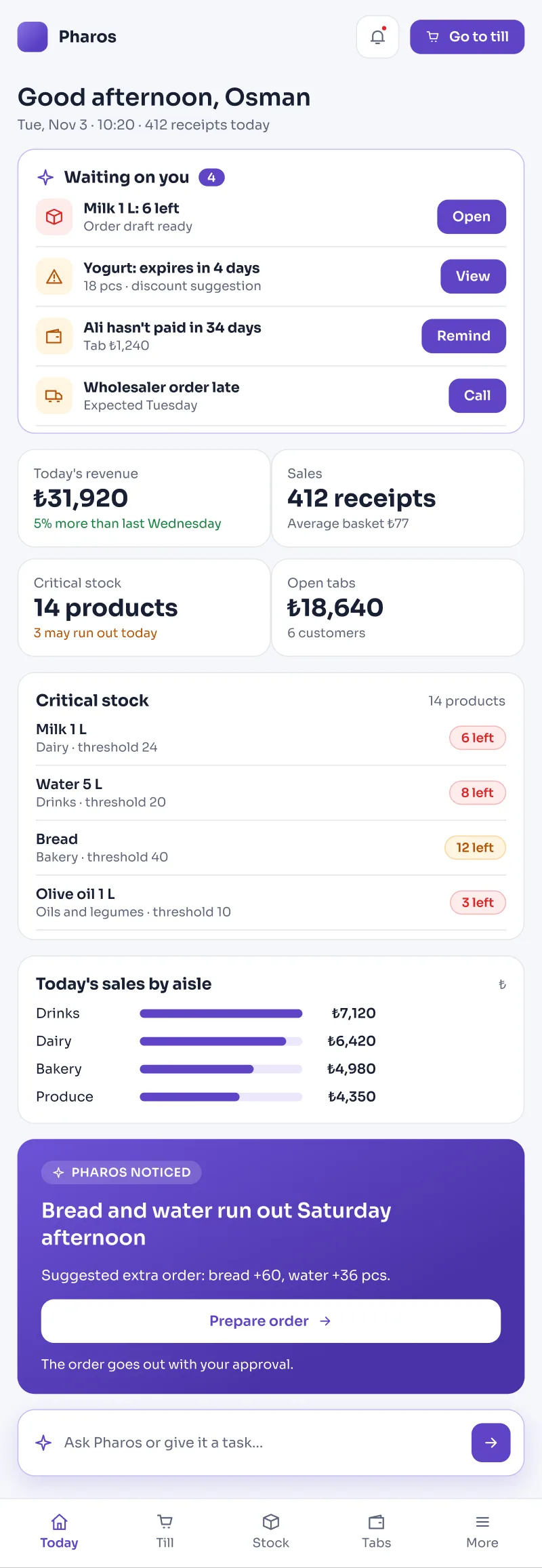
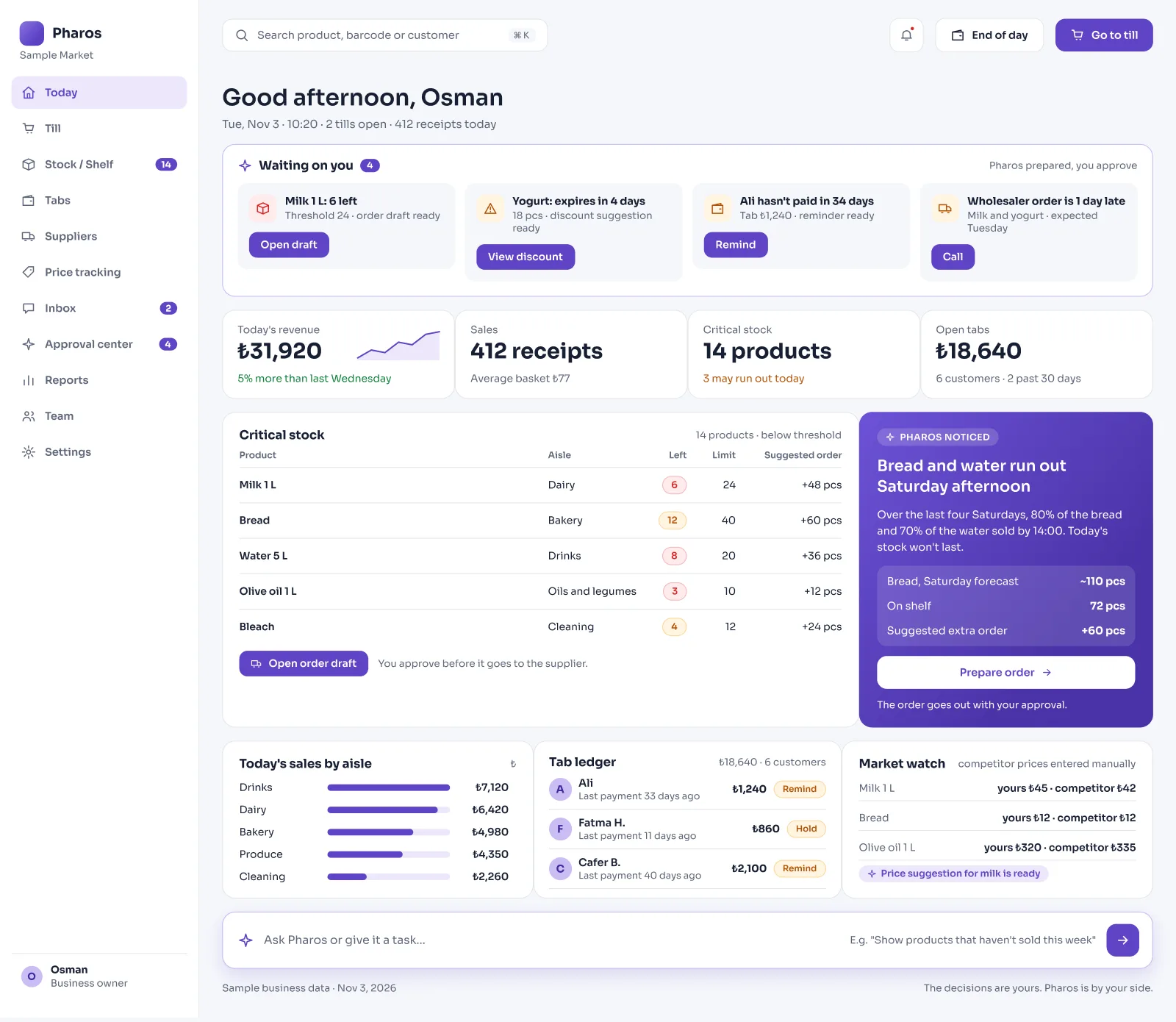
Pharos shows which products are running low and who owes you in your grocery store.
At the end of the day, the expected cash and the cash actually counted at the till sit side by side, so no shortage goes unnoticed.
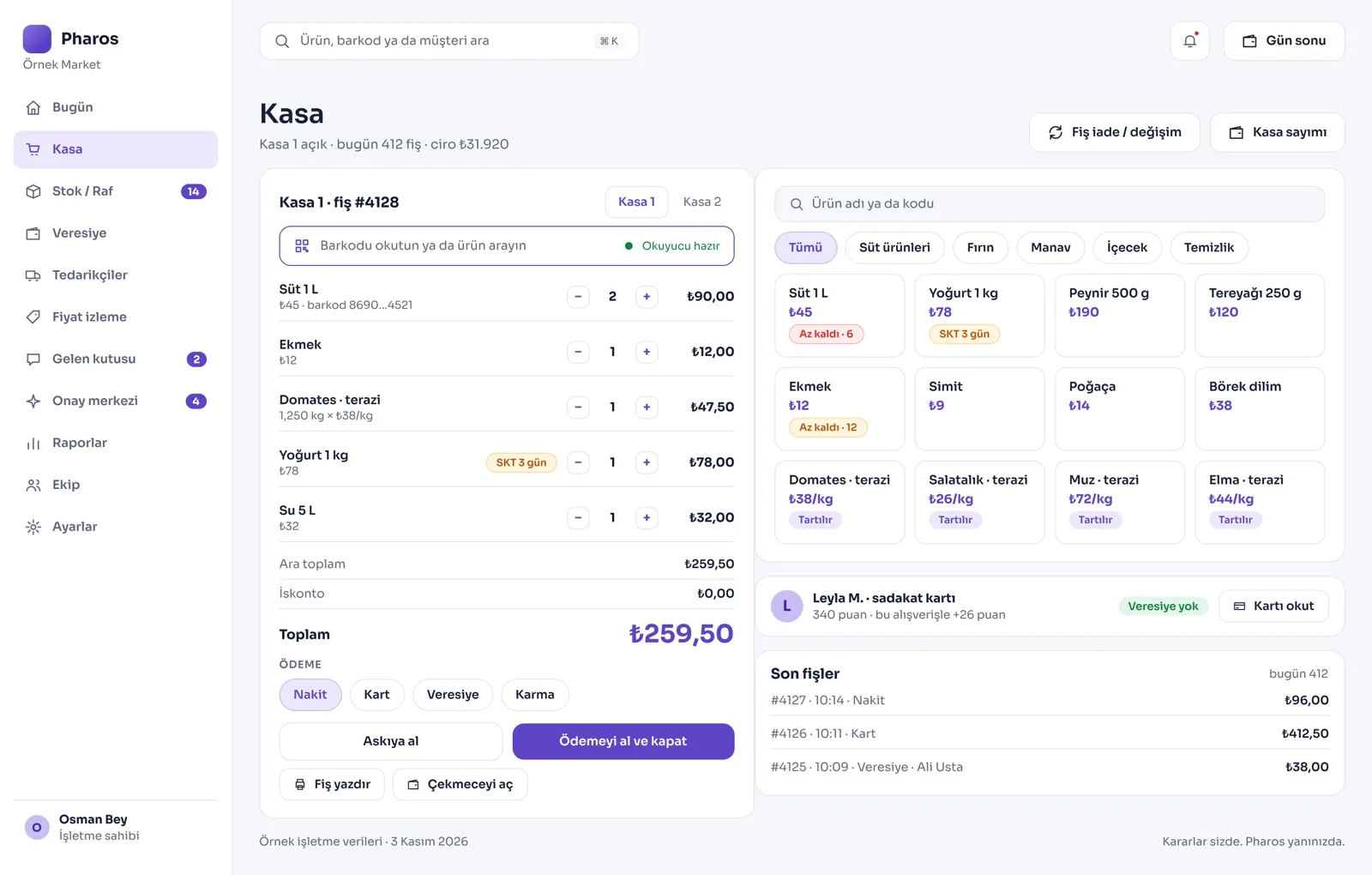
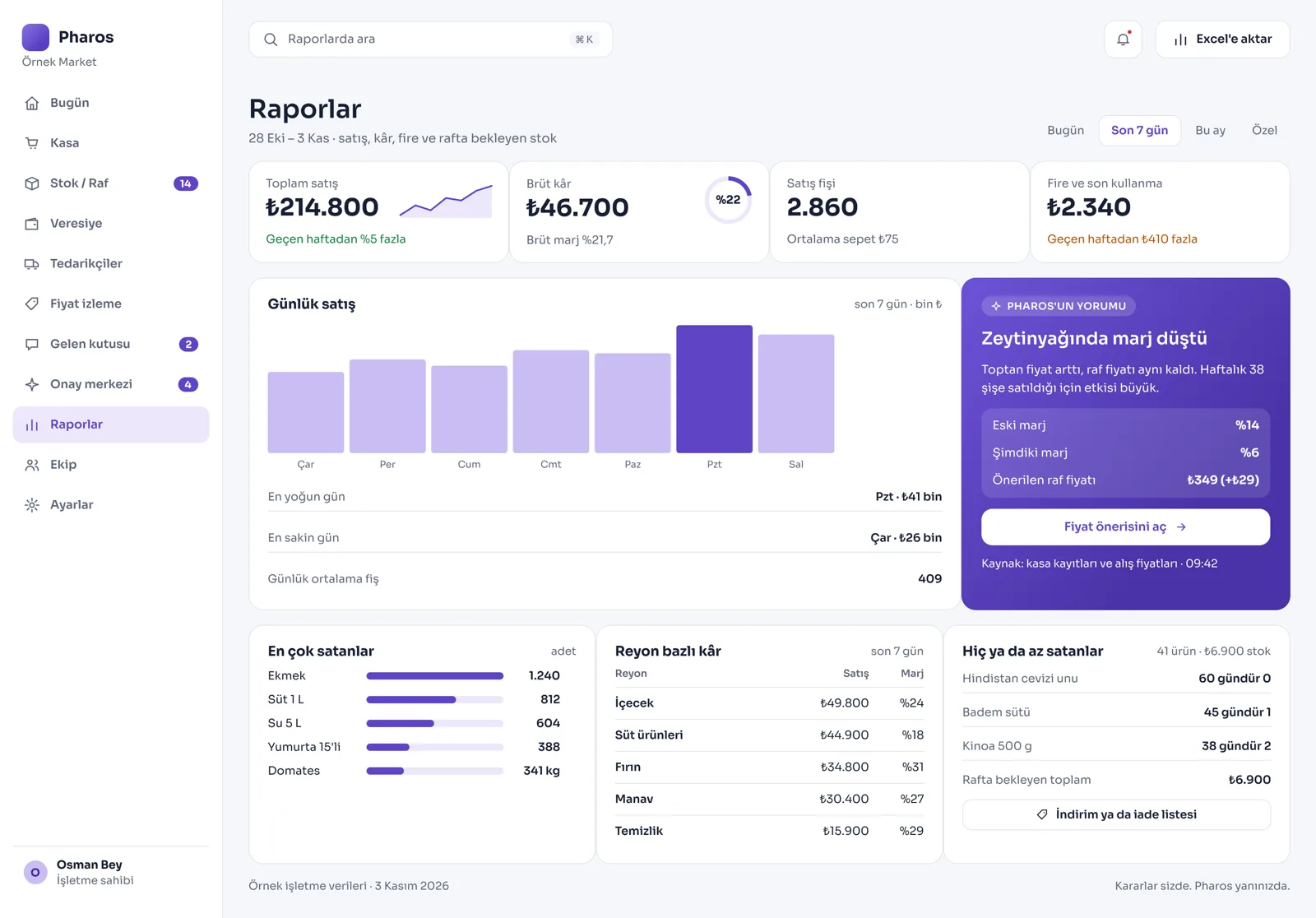
Screens from the Panel
This is how Pharos looks in your business.
Names and numbers on the screens are examples.
A Day in Your Business
You Open the Store: Products that fell to the critical level light up on the screen with a red warning. Customers with credit debts and wholesalers whose payment is due are ready in a list.
During the Day: You scan barcodes at the till and sell quickly, and every product sold drops from the shelf and from stock within seconds. When you count the till in the evening, the expected amount is compared with the cash in hand, and any difference is calculated for you.
No Longer Your Problem
- Walking between the shelves one by one to find out which product ran out or is running low.
- Searching for a customer's debt or account in the torn pages of old credit notebooks.
- Trying to find the reason for a till shortage or surplus at the end of the day.
What Pharos does in your business
What Does Pharos Do in Your Grocery Store?
Fast Till Sales and Barcode Management
- Barcode and Scale Sales: Scan barcodes to ring up products in seconds. Scan the scale barcodes of weighed products and the price is calculated automatically.
- Touch Till Panel: For products without a barcode, tap the product cards on the screen to add them to the basket, and filter easily by aisle. Raise the quantity or apply a discount in the basket with one tap.
- Several Tills and Branches: As your business grows, connect more than one till or different branches at the same time and manage them from one panel. Set up the receipt printer and cash drawer connections.
- Multiple Currencies: When closing a sale by cash or card at the till, work with TL, euro, pound or dollar options. See receipts and VAT summaries clearly by VAT rate.
Digital Credit Notebook and Store Pulse
- Advanced Credit Notebook: Open a digital card for every customer. Manage writing a debt, recording a payment and the remaining balance.
- Open Account Tracking: On the home screen, see the list of customers who owe you and the neighborhood's total open credit at a glance.
- Store Pulse Indicator: Your total product range, critical stock status, open credit and the current stock cost value of the goods in the store are laid out in one panel.
Smart Stock, Supply and Shelf Management
- Critical Stock Warning: Put a "warn me when it falls below this quantity" rule on products, so the system raises a red alarm when a product runs low. See the total money sitting in stock and the net profit margin you will earn when the goods sell.
- Goods Entry from a Photo: Take a photo of the wholesaler's invoice; Pharos reads the items automatically and adds them to stock with your approval. Correct shelf differences in stock counts with one tap.
- Bulk Price Update During Inflation: When goods costs change, reprice the whole shelf and all aisles in bulk. Print shelf and price labels straight from the system. Because the cost at the moment of sale is recorded, the profit report of past receipts stays intact even when prices change.
- Expiry Date and Waste Tracking: Get an early warning for products nearing their date, and take spoiled or broken goods off stock with a waste record. Follow supplier orders, and get a "shelf running empty" warning if the goods do not arrive on the expected day.
Communication and Home Delivery
- Neighborhood Delivery on WhatsApp: Take orders from customers nearby on WhatsApp; incoming messages land at the till as drafts, and you approve them and start the home delivery.
- Customer Return Management: Record customer returns and exchanges. The system warns you about returns past their deadline and about repeated return requests for the same product.
- Market and Competitor Watch: Enter the prices of competing stores nearby by hand and compare them with your own pricing. Set up loyalty cards that earn your customers points.
- Shared Tools: Customer tracking, the WhatsApp inbox, expenses, the cost and profit report, and reminders all sit in the same panel.
Is there something specific to your grocery store that is not on the list? Write it below, and we will tell you right away whether we can add it to Pharos.
Frequently Asked Questions
Can I close a sale quickly at the till?
Yes. The moment you scan the barcode, the product is added to the basket. The moment you press the cash or card button, the sale closes, the receipt prints and the product drops from stock within seconds. It stops queues from forming at busy hours.
Does it warn me before a product runs out?
Yes. When a product reaches the critical stock limit you set for it, Pharos warns you on the morning opening screen and in the panel, and prepares your wholesaler order list.
Isn't it too much for a small neighborhood grocery?
No. On the contrary, it lightens the work for shopkeepers of every size who track credit, do not want to miss gaps on their shelves and want to balance the end-of-day till.
Let us map out your first roadmap together.
Tell us about your grocery store. We prepare your free roadmap and a personal demo. No commitment.
Apply