Car dealership
You enter a car's details once, and Pharos creates the stock record and the online listing together.
It shows the cars that sit unsold at the dealership and the real net profit you make on each sale.
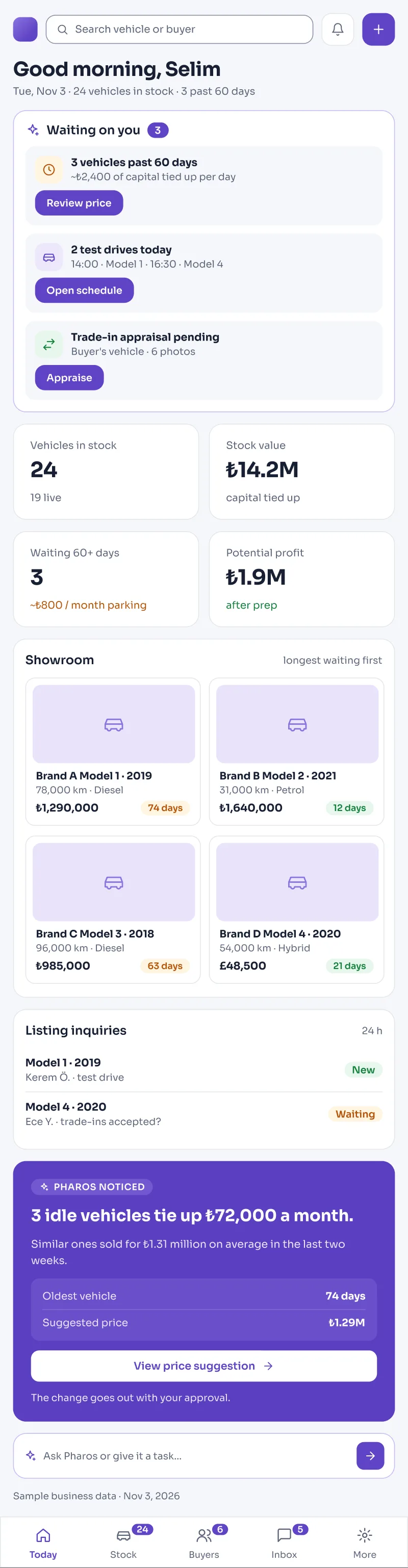
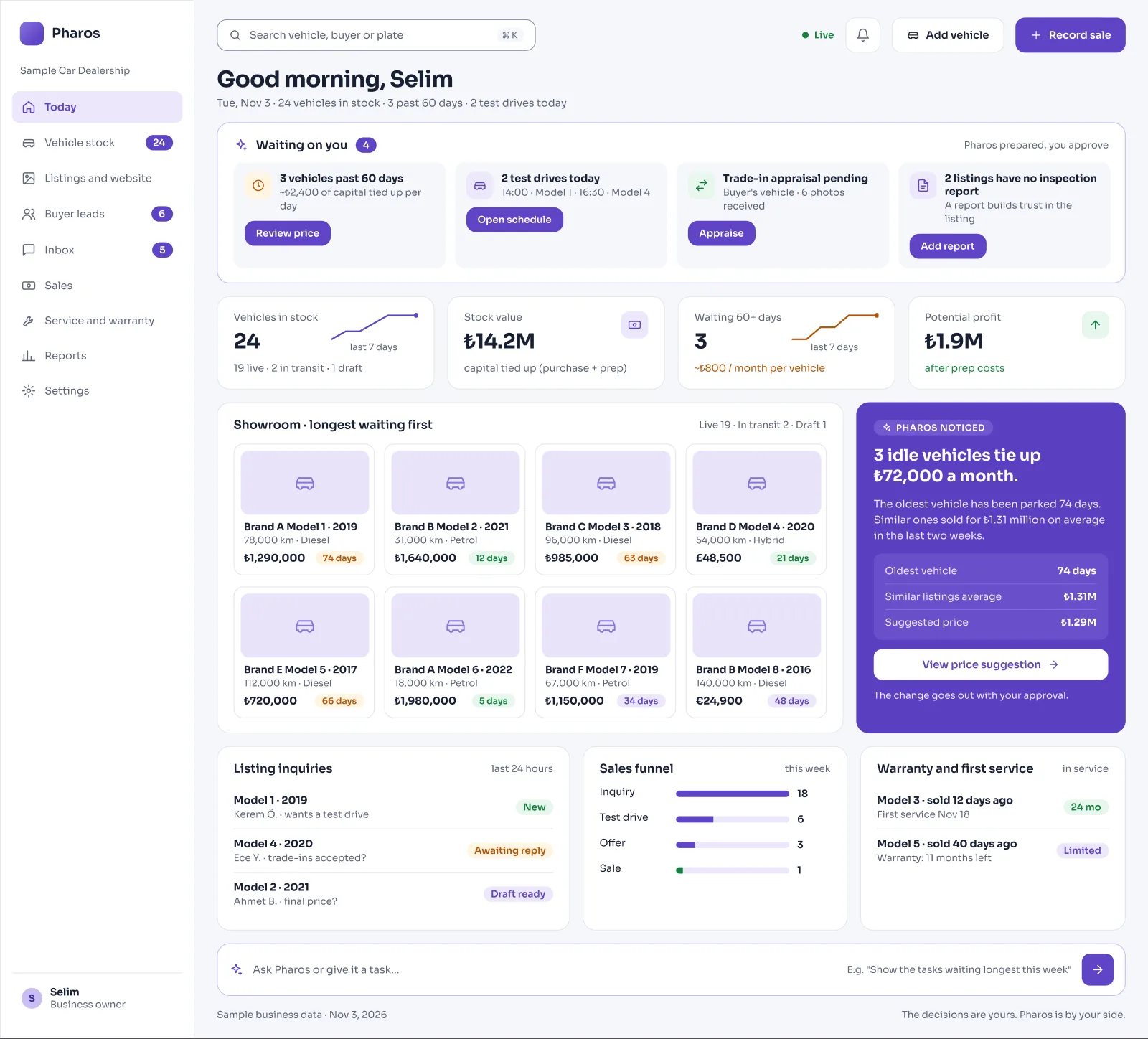
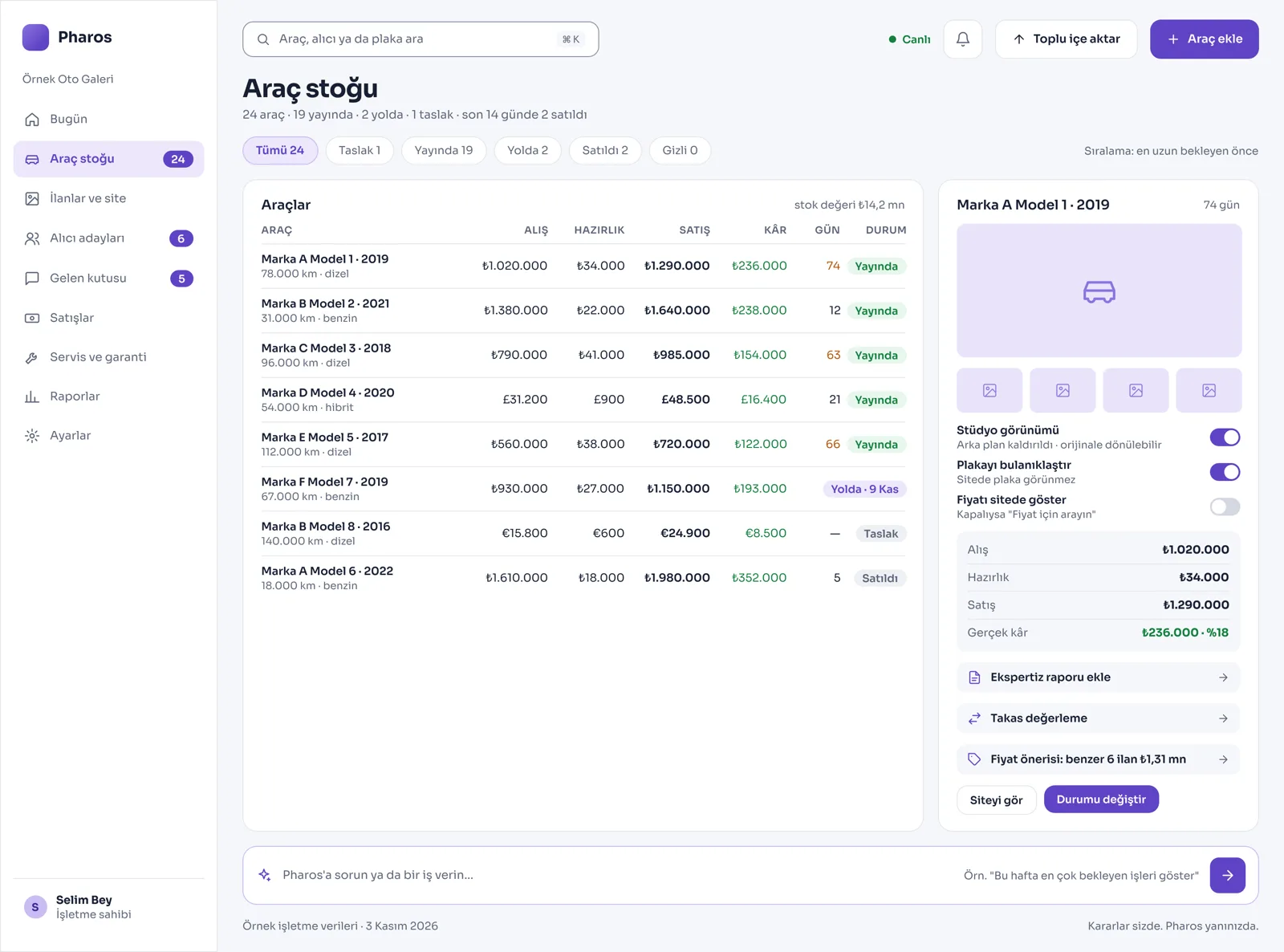
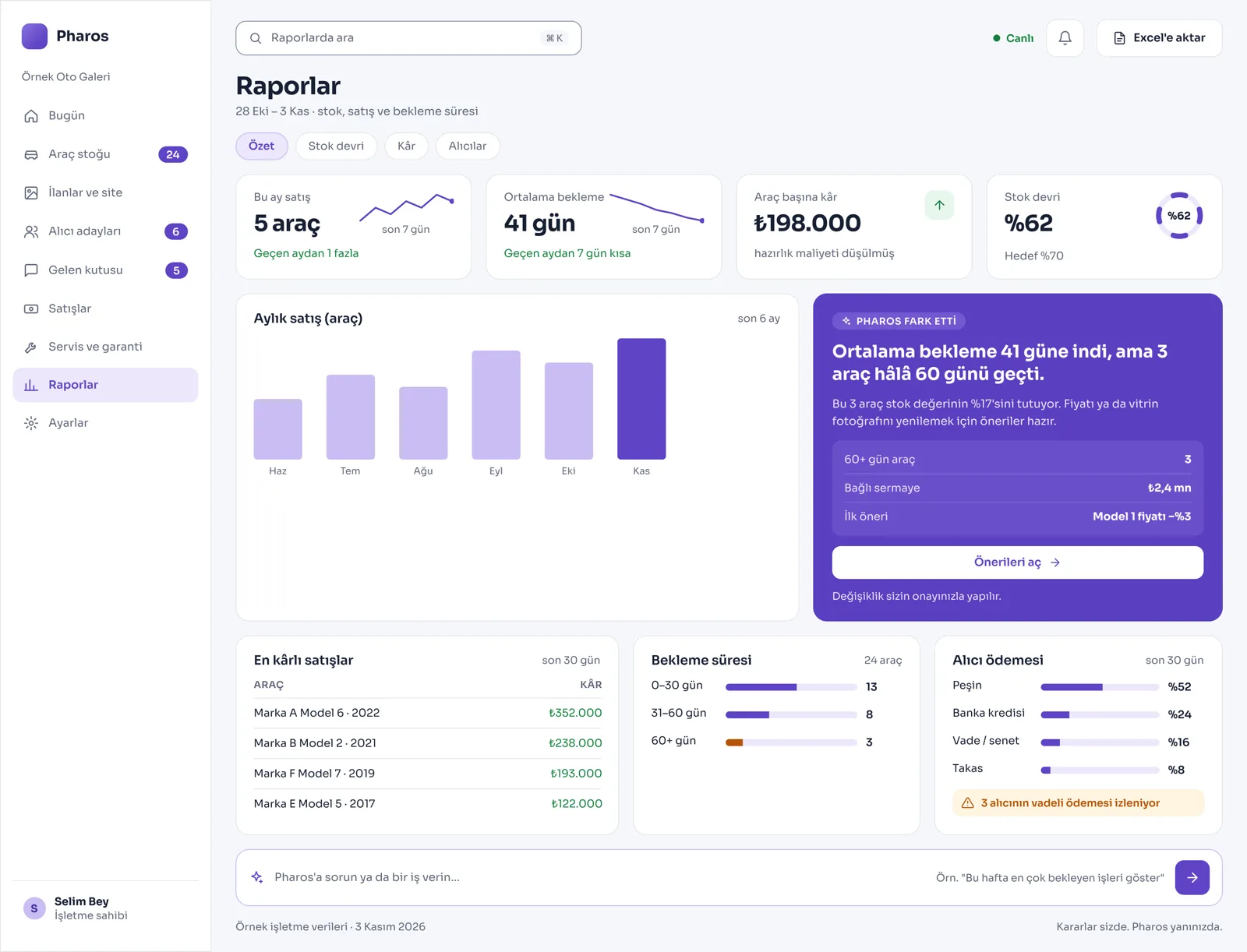
Screens from the Panel
This is how Pharos looks in your business.
Names and numbers on the screens are examples.
A Day in Your Business
Opening the Dealership: Which car is live online, which one has spent 60 days on the lot (a car that sits unsold), and the customer messages coming from listings are ready on screen.
During the Day: With one click you remove the background from the photo of a newly arrived car and give it a studio look; with a single box you blur and hide the plate. The car goes live on your own website at the same time.
No Longer Your Problem
- Writing the technical details of the same car separately into the stock book and onto the listing sites.
- Noticing too late the cars that tie up capital and sit unsold on the lot for months.
- Skipping preparation, paperwork and customs costs and then trying to work out the car's real profit by hand afterward.
What Pharos does in your business
What Does Pharos Do in Your Car Dealership?
Stock and Listing Management in One Go
- Complete Car Entry: Enter make, model, body type, fuel, transmission, drive, color and origin (locally registered or customs-free from abroad) from one screen; the stock card and the listing are prepared at the same time.
- Logistics Status Tracking: Follow each car's status live as Draft, Live, Hidden, Sold or "In Transit (estimated arrival / at customs)".
- Fast Photo and Plate Editing: Reorder multiple photos of a car or choose the cover. Remove the crowd behind the car with one click inside the system for a studio look; draw a box by hand to blur plates easily.
Real Profit, Currency, and Sitting-Car Tracking
- Accurate Cost Calculation: Record the car's purchase price and all preparation costs (bodywork, detailing, paperwork, customs clearance); compare them with the sale price to see the real net profit.
- Multi-Currency Car Card: Enter and follow car prices and costs in foreign currency (Pound Sterling, Euro, Dollar) or in TL.
- Sitting-Car Alerts: Lists the cars that stay at the dealership longer than 60 days, the total capital they tie up and the potential profit, to warn you to sell off the stock. It also offers smart pricing suggestions based on the market prices of similar cars and how long they have waited at the dealership.
Customer Management, Trade-Ins, and Paperwork Flow
- Professional Web Showcase: Your dealership gets its own website. This site works in 3 languages and shows only live listings; if you wish, you can turn on a "Call for price" badge for some cars. Trade-in requests and WhatsApp questions from the site go straight to the panel.
- Reliable Trade-In Valuation: Enter the details of the car brought in for trade-in and its inspection report; the estimated value and the price difference against the main car are calculated automatically and reflected in the price.
- Buyer Lead and Appointment Tracking: Follow who is interested in which car, and the buyer's first questions about the damage record or customs documents. Manage viewing and test drive appointments.
- Promissory Note, Loan, and Transfer Procedures: In installment and promissory-note sales, follow the buyer's payment plan, installment days and overdue balances. Run checklists for the notary transfer and the official paperwork required.
Service and Integration Connection
- Warranty and Service History: Set a warranty period on the cars you sell. When a car comes in for service, past repair and maintenance records are entered by plate; the remaining warranty period is tracked.
- One-Click Listing Publishing: Manage the processes of sending your listings to outside listing sites with one click, and your customer records, from a single panel.
Is there something specific to your car dealership or the way you work that is not on the list? Write it below, and we will tell you right away whether we can add it to Pharos.
Frequently Asked Questions
Does it collect inquiries about cars in one place?
Yes. All trade-in, price and information requests about cars, coming from the listings on your website or over WhatsApp, are collected in a single central inbox.
Does it help me find the right car for a buyer?
Yes. Once you record a buyer's wishes such as budget, transmission or body type, Pharos scans your current car stock and lists the options that suit your customer best.
Can I see how much profit I made on each car I sold?
Yes. On top of the car's cost at entry, it calculates the repair, customs, paperwork and commission costs added, and gives you a net profit report based on the exchange rate at which you sold the car.
Let us map out your first roadmap together.
Tell us about your car dealership. We prepare your free roadmap and a personal demo. No commitment.
Apply