Craft workshop
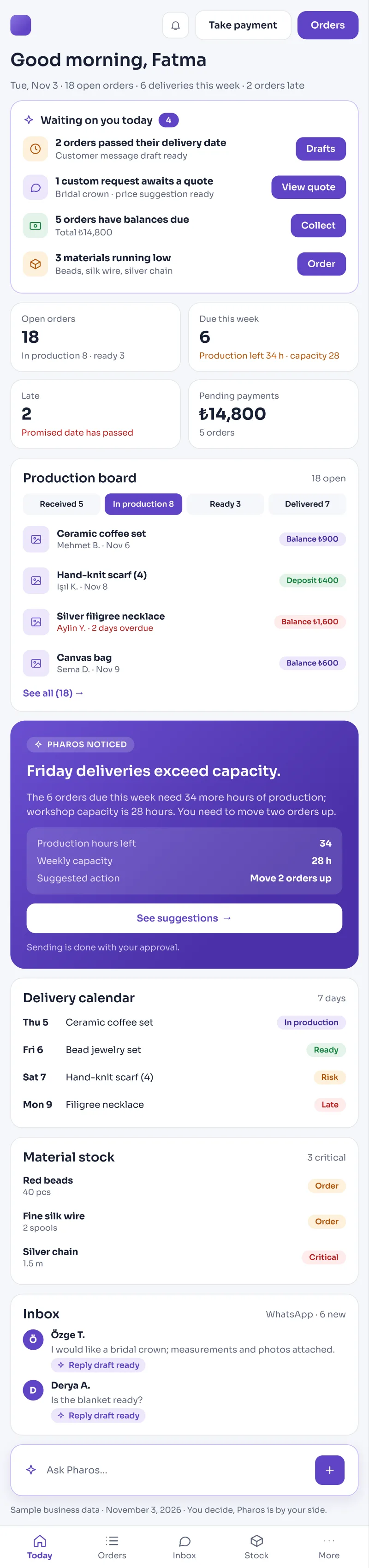
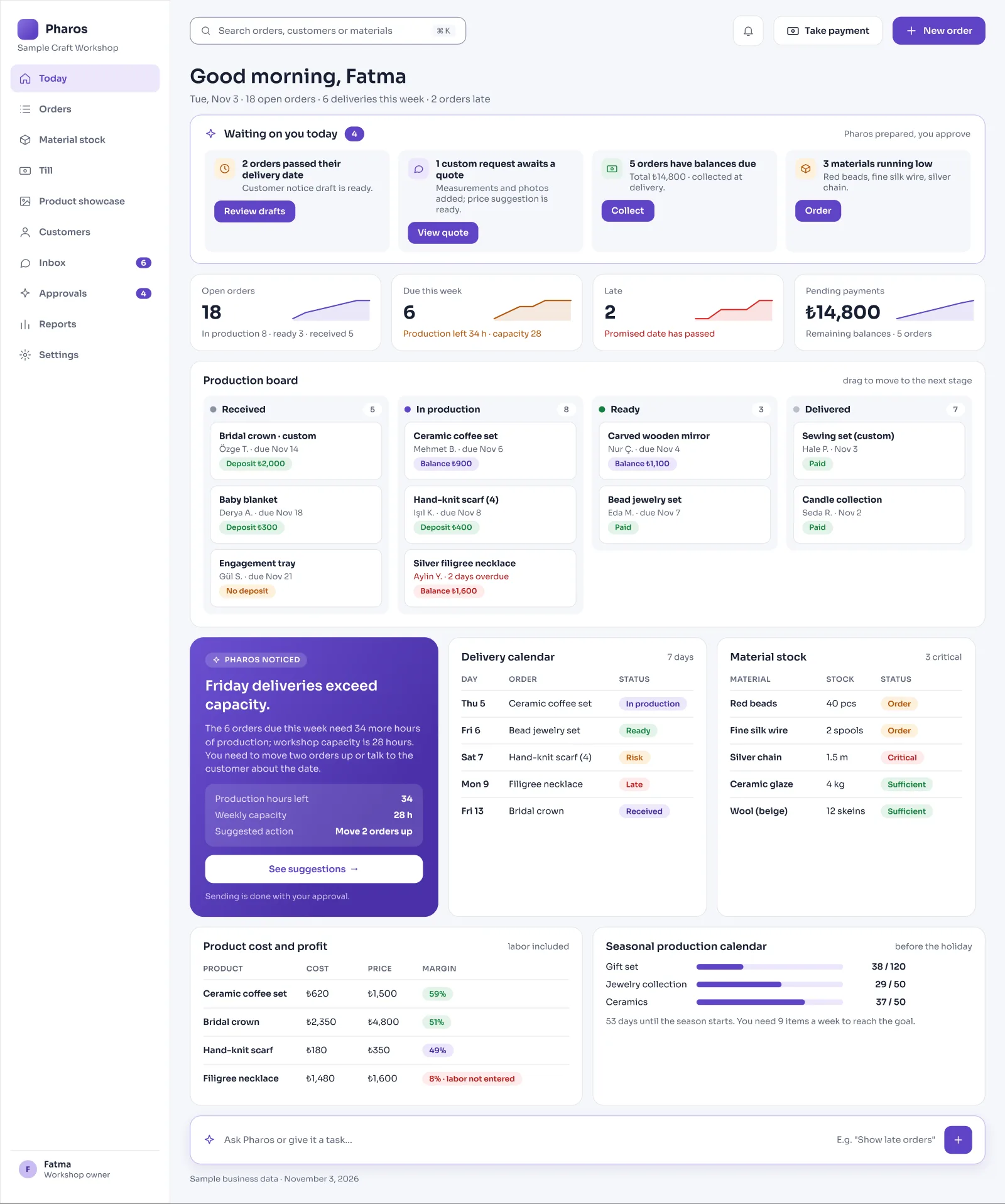
Pharos tracks order stages and raw material stock in your workshop.
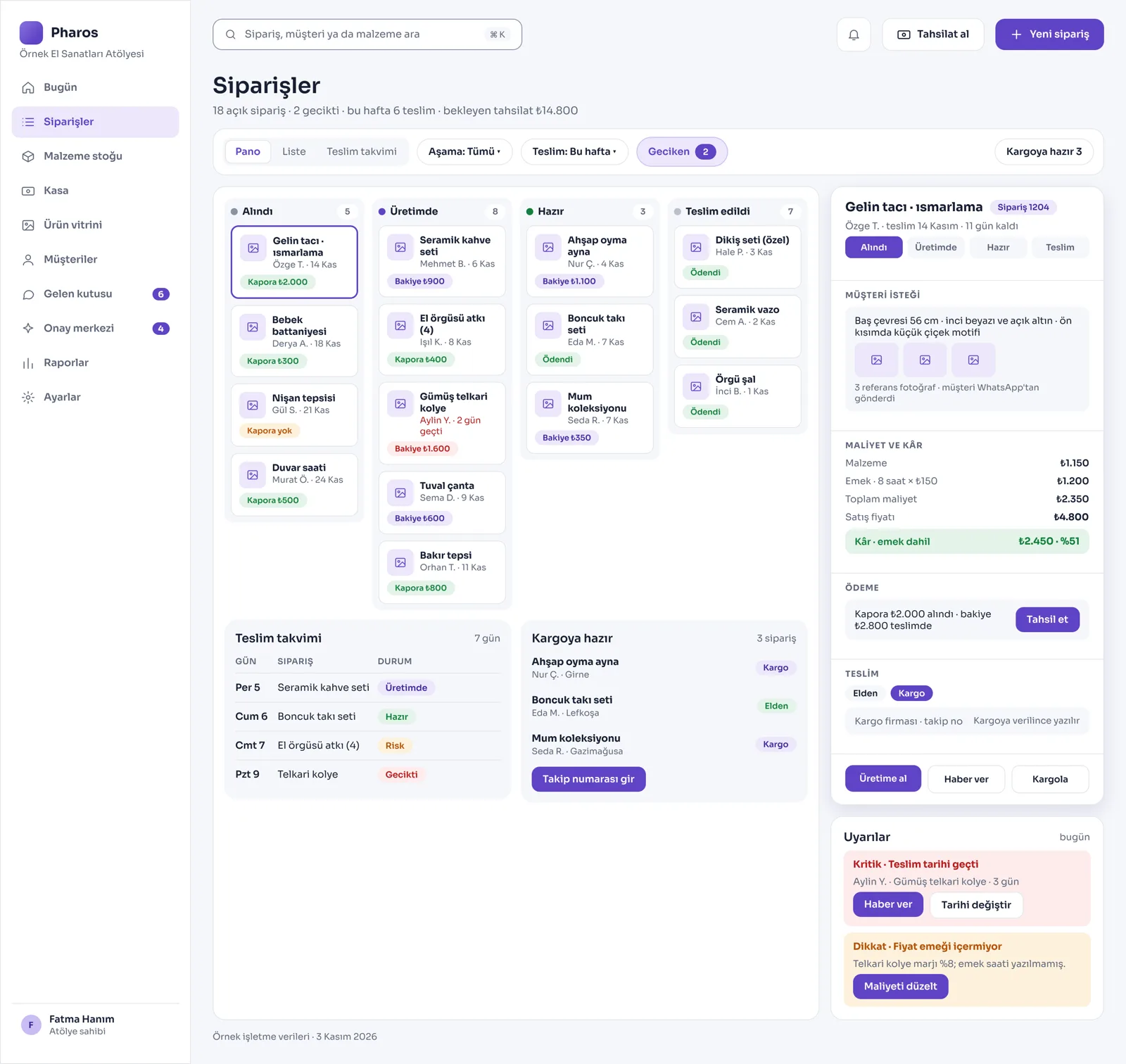
The deposit paid, the remaining balance, and the promised delivery date are clear on the order card.
Screens from the Panel
This is how Pharos looks in your business.
Names and numbers on the screens are examples.
A Day in Your Business
Opening the Workshop: Which order is at which stage, which jobs are due soon, and which raw materials are running low in the workshop are all ready and waiting for you on the screen.
During the Day: When you take a custom order, you save the customer's special measurements and the reference design photo on the same order card. Pharos subtracts the raw material cost of the product and calculates your net profit.
No Longer Your Problem
- Writing orders on scraps of paper or in notebooks and forgetting them; missing the delivery dates you promised.
- Realizing at the last minute that a key material has run out just as you are about to start, and holding up the job.
- Trying to guess exactly how much a handmade product costs you and how much it earns you.
What Pharos does in your business
What Does Pharos Do in Your Craft Workshop?
Custom Order and Production Tracking
- Stage-by-Stage Order Board: Follow your custom and made-to-order jobs live on screen by status (Received, In Production, Ready, Delivered).
- Custom Measurement and Design Card: For custom orders, keep the customer's requests, special measurement notes, and the product photos they use as a reference on a single card.
- Delivery Dates and Late Alerts: Track the delivery dates you promised in the system; see this week's deliveries and late orders on the main screen.
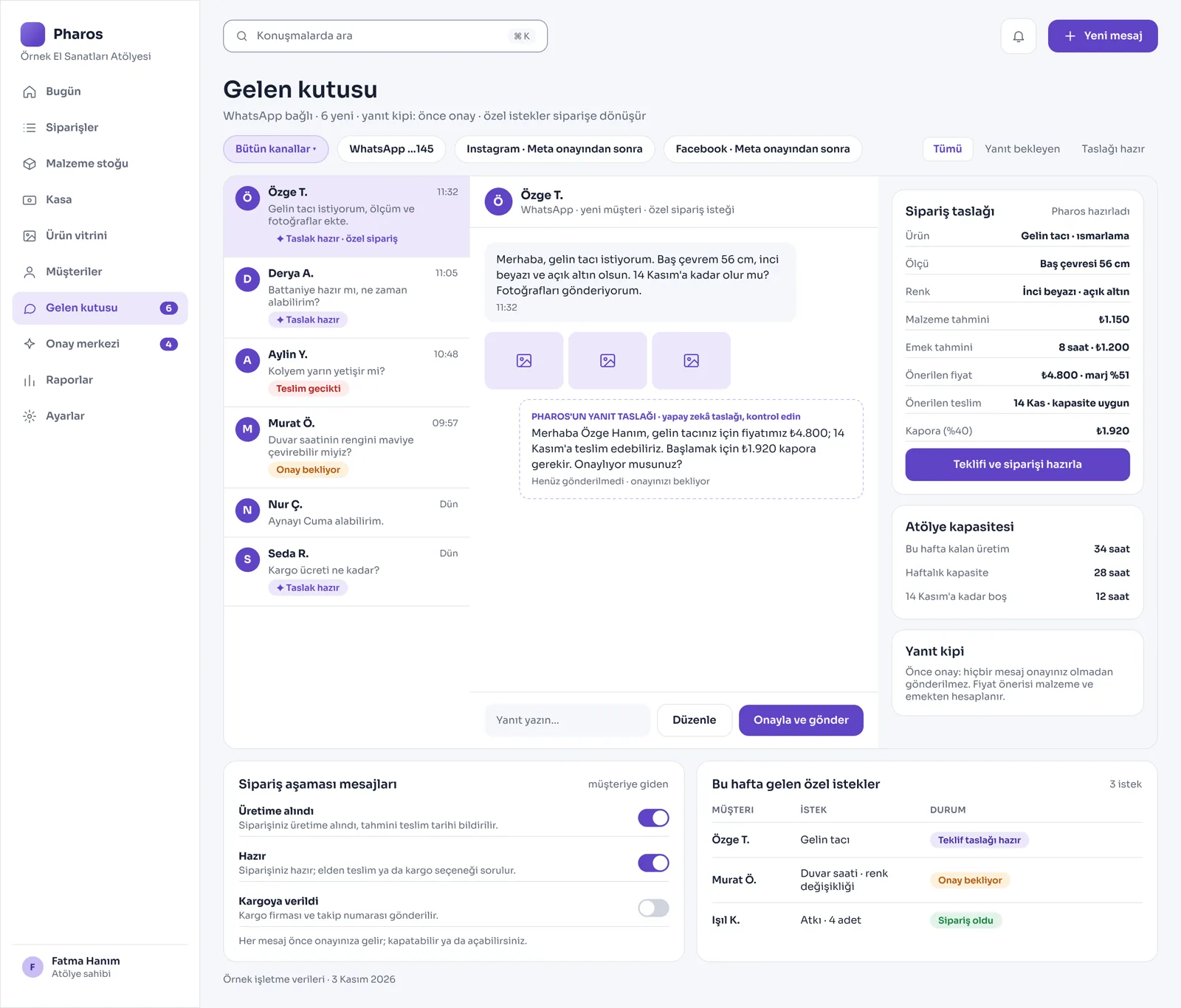
- Order Stage Updates for Customers: Pharos automatically prepares draft WhatsApp status messages to send the customer when an order goes into production or is ready.
Raw Material, Recipe, and Cost Management
- Product Recipe and Automatic Costing: For a product you design, define how much of each raw material (yarn, wood, leather, beads, and so on) is used, and Pharos calculates the product cost and your profit instantly.
- Raw Material Stock Tracking: Set critical limits for the raw materials in the workshop and get a red alert when a material runs low. Follow the current value of your stock from one panel.
- Production Batch Management: When you make a batch, enter how many pieces came out, and the materials used come off the shared stock automatically according to the recipe.
- Price Quote Preparation: Prepare quick price quotes for your customers based on size, labor, and the materials to be used.
- Supplier Orders: Record the material orders you place with suppliers, and follow the expected date and late orders.
Counter Sales, Shipping, and Connections
- Quick Counter Till: Close sales of ready products in the workshop in cash or by card right away, and let the sold goods come off stock directly. Record customer returns and their status.
- Overseas and Online Sales Matching: If you wish, keep the orders and stock from online sales channels such as Etsy or Shopify in balance with Pharos.
- Sending the Order Out: When you hand the product to the courier, enter the shipping details and tracking number in the system, and an automatic notification message goes to the customer.
- AI Showcase Support: Create professional images that show your handmade products in lively, attractive backgrounds, and prepare them for your website and social media posts.
Financial Flow and Planning
- Deposit and Balance Management: Follow the deposit taken when the order is placed, the remaining balance, and the total amount. Record your expenses, raw material purchases, and the workshop's cash flow.
- Seasonal Production Calendar: Before holidays, wedding seasons, or special periods, set up countdown calendars and plan your production and supply purchases in advance.
- Daily Step Every Morning: Each morning when the panel opens, the orders to be delivered that day and the pending payments appear as your priority work list. It also gives you a website of your own, updated from the panel.
Is there something specific to your craft workshop that is not on the list? Write it below, and we will tell you right away whether we can add it to Pharos.
Frequently Asked Questions
Does it track custom orders from start to delivery?
Yes. It lets you follow the whole process on a single digital card, from the moment the order is received and the deposit entered, through the production stages, to shipping and delivery to the customer.
Does it send customers a "your order is at this stage" message?
Yes. When you change the status on the order card to "In Production" or "Ready", a WhatsApp message draft telling the customer the status is prepared and goes straight through your approval.
Does it warn me when materials run low?
Yes. When stock falls below the critical raw material levels you set, Pharos warns you on the opening screen in the morning and lists your new material purchase plan.
Let us work out your first roadmap for a craft workshop together.
Tell us about your workshop. We prepare your free roadmap and a personal demo. No commitment.
Apply