Education (school, course)
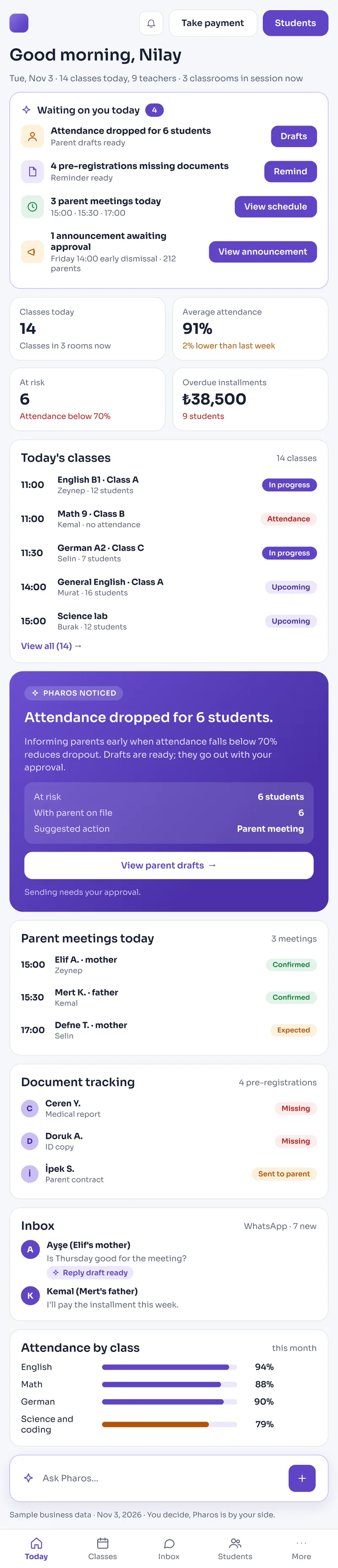
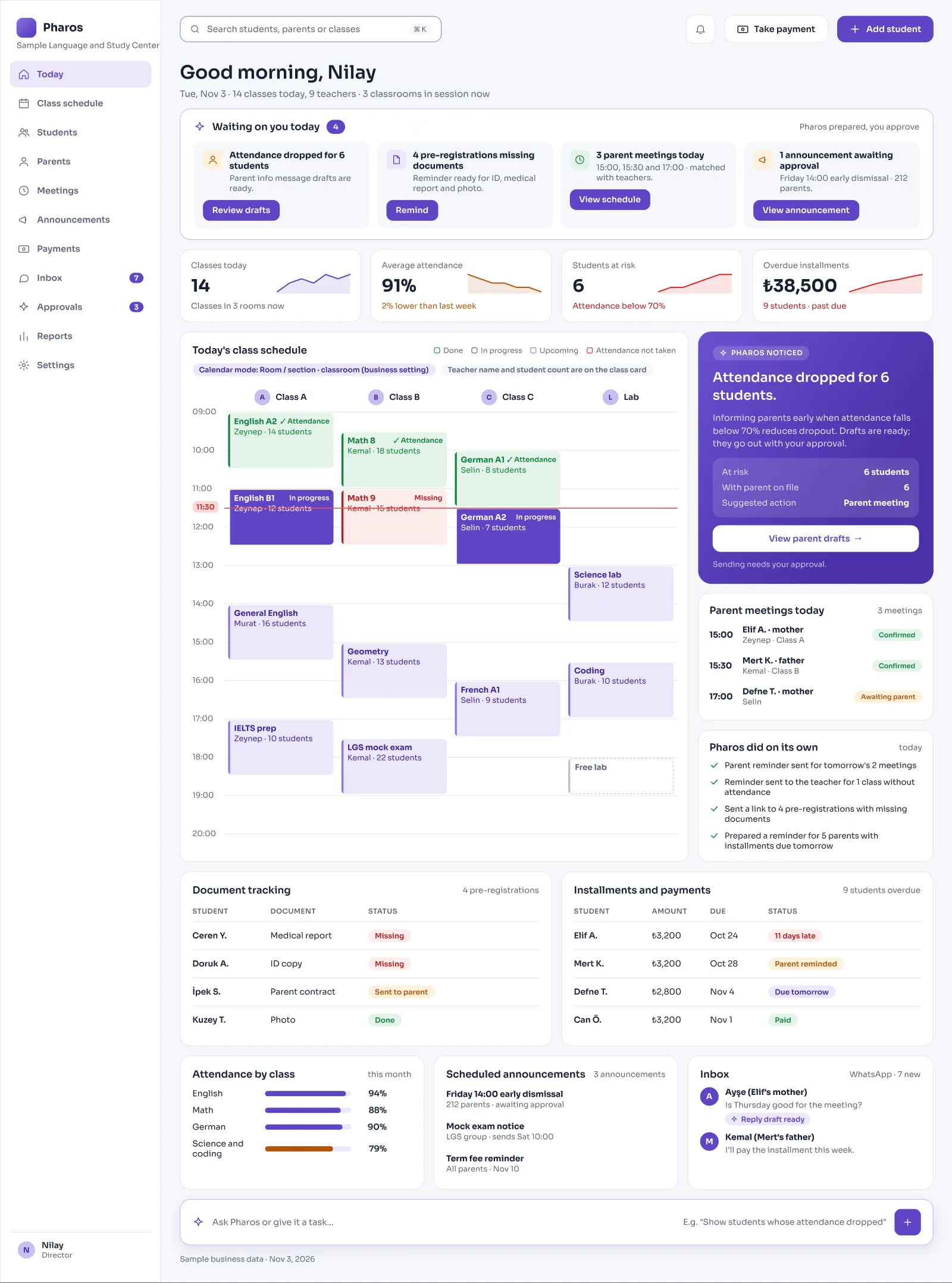
Pharos keeps new enrollments, absence status, and installment payments for your school or course in one place.
It spots students whose attendance is dropping or nearing the absence limit early and brings them to you.
Screens from the Panel
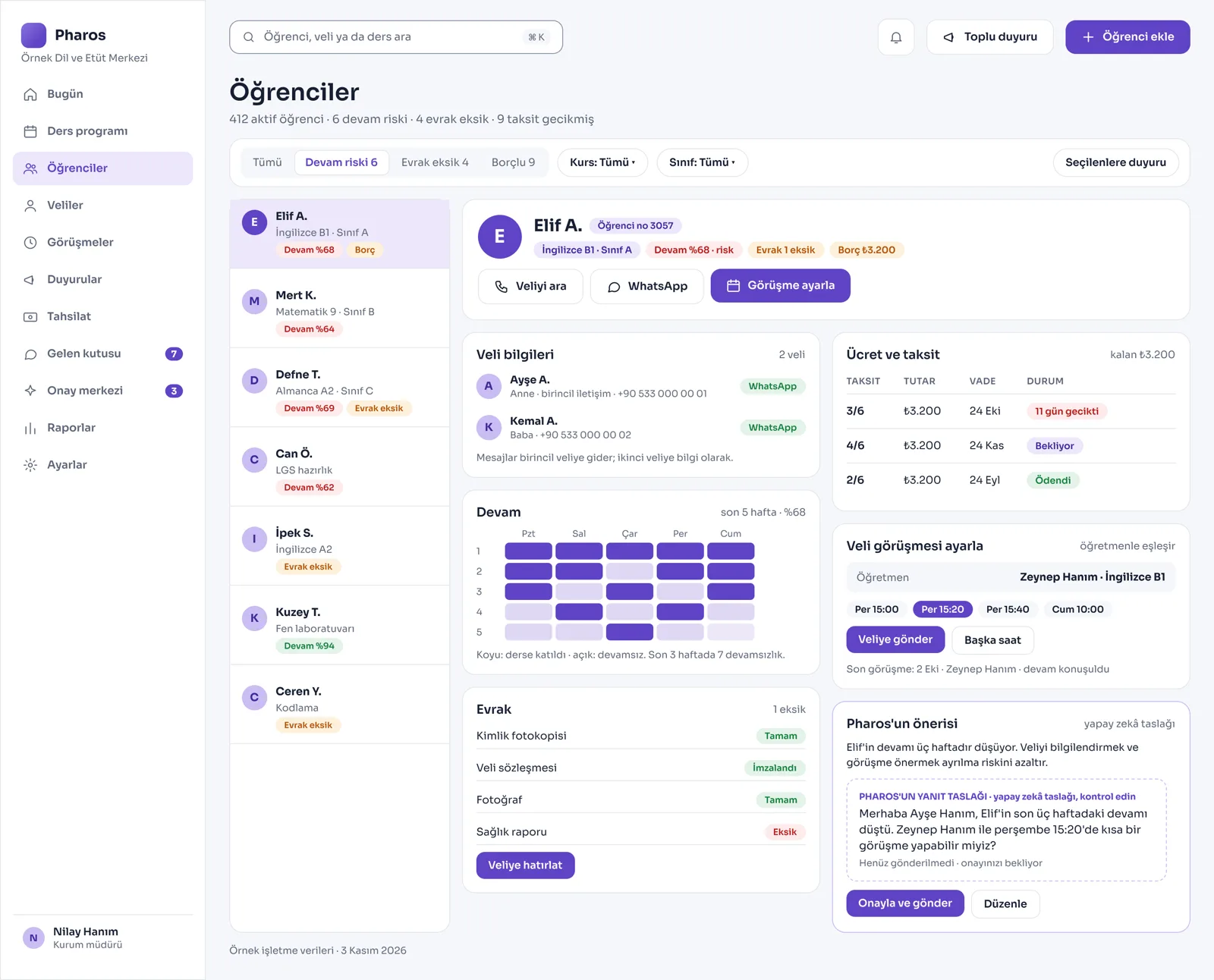
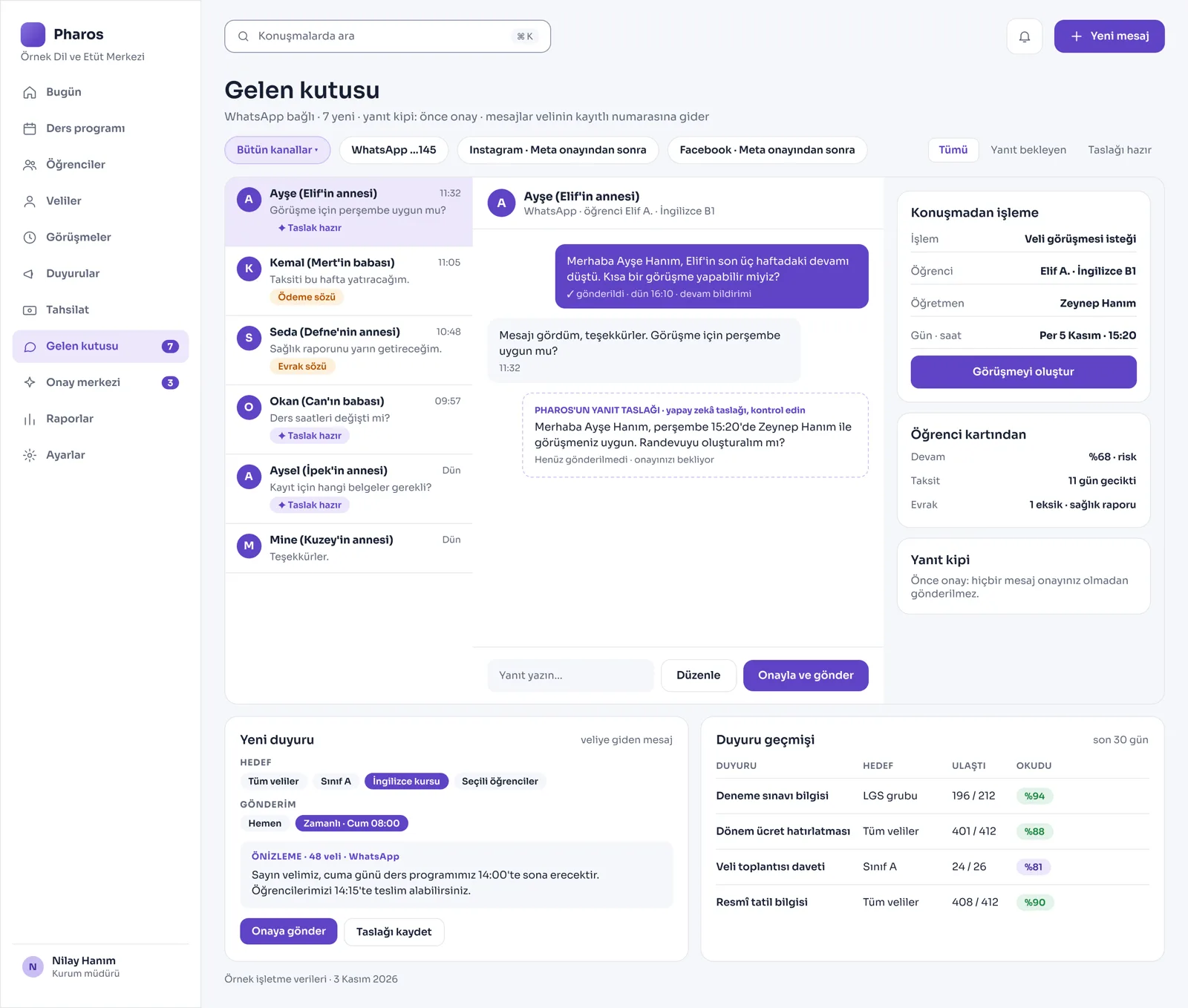
This is how Pharos looks in your business.
Names and numbers on the screens are examples.
A Day in Your Business
The Term Starts: When you open the computer or phone, it is already on screen: which student is in which group, who is nearing the absence limit, and which installments are late.
During the Day: Bulk announcements to parents, installment reminder messages, and guidance or teacher meeting appointments are all managed from the same central panel.
No Longer Your Problem
- Counting student absences one by one from paper attendance sheets and trying to keep track.
- Searching promissory-note boxes and Excel lists to find late installments or payment due dates.
- Writing and sending an important school announcement or exam schedule to every parent one by one.
What Pharos does in your business
What Does Pharos Do at Your School or Course?
Student Card and Smart Attendance Management
- Clear Student Profile: Keep the student's name, the course or class they are enrolled in, and their current status (Active, At Risk, Left) on a single card.
- Attendance Percentage and Early Warning: The system calculates each student's attendance rate automatically; it brings students whose attendance is dropping or who are about to use up their absence allowance to you in a risk list.
- Conflict-Free Class Schedule: Prepare weekly schedules by day, time, subject, teacher, and room. If two lessons are entered for the same time or room, the system gives teacher and room conflict warnings.
- Course and Capacity Breakdown: See live how many students are in each class or course; see the occupancy rate of each branch clearly. Get report cards, attendance certificates, or course certificates printed from the system with ease.
Parent Communication, Announcements, and Parent Portal
- Private Parent Portal: Parents sign in to their own space from their phones and can follow their child's weekly class schedule, current absence status, and installment balance.
- Bulk and Scheduled Announcements: Prepare bulk announcements for the whole school or only a specific class or course group. Send an announcement right away, or schedule it to go out at a time you set.
- Smart Communication and Appointments: Message parents two ways. Let parents see teachers' free hours in the system and book a meeting appointment directly. For students whose attendance drops, it prepares an automatic information message to the parent.
Enrollment, Documents, and Financial Flow
- Online Pre-Registration and Document Tracking: Collect digital application and pre-registration forms through your website. Track the official documents students must submit (ID copy, health report, education contract) on a checklist as Present / Missing.
- Installment and Due Date Planning: See each student's total tuition, payments made, and remaining balance clearly. Follow installment due dates broken down as paid or late.
- Teacher Pay and Costs: Track teachers' contract records and the fee they earn per lesson they teach. Report your courses' operating costs and the institution's net profit.
- End-of-Term Renewal: Prepares special campaign and information lists for parents for early registration periods or new-term renewals. You can quickly import student lists kept in your old program into Pharos from Excel.
Is there something specific to your school, course, or education center that is not on the list? Write it below, and we will tell you right away whether we can add it to Pharos.
Frequently Asked Questions
Are parents notified when a student misses class?
Yes. When a student is marked as "Absent" on the attendance screen, a WhatsApp message draft that informs the parent is prepared in seconds and goes out only after your approval or the secretary's office's approval.
Does it track installments and payments?
Yes. It remembers the down payment and installment dates set for each student at enrollment. Installments that are coming due or overdue appear on the opening screen every morning as a priority task list.
Can it answer questions during the enrollment period?
Yes. It answers instantly and automatically, in the communication style your institution sets, the questions parents often ask on WhatsApp, such as your course prices, documents required for enrollment, age groups, or your address.
Let's work out your first roadmap for your school or course together.
Tell us about your school or course. We prepare your free roadmap and a personal demo. No commitment.
Apply