Law firm
Pharos takes over the case files and hearing calendars of your law firm.
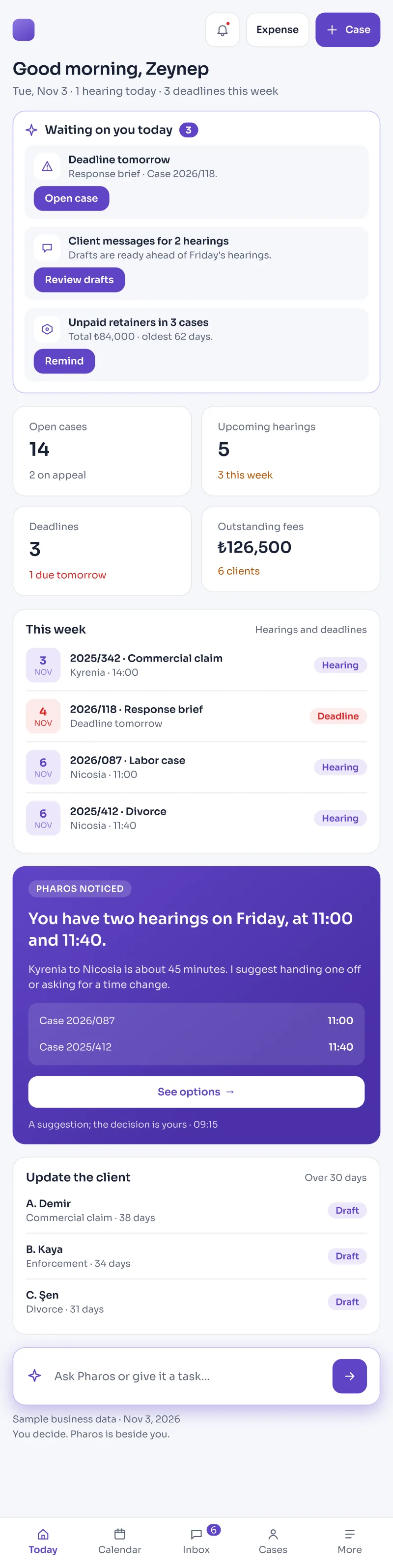
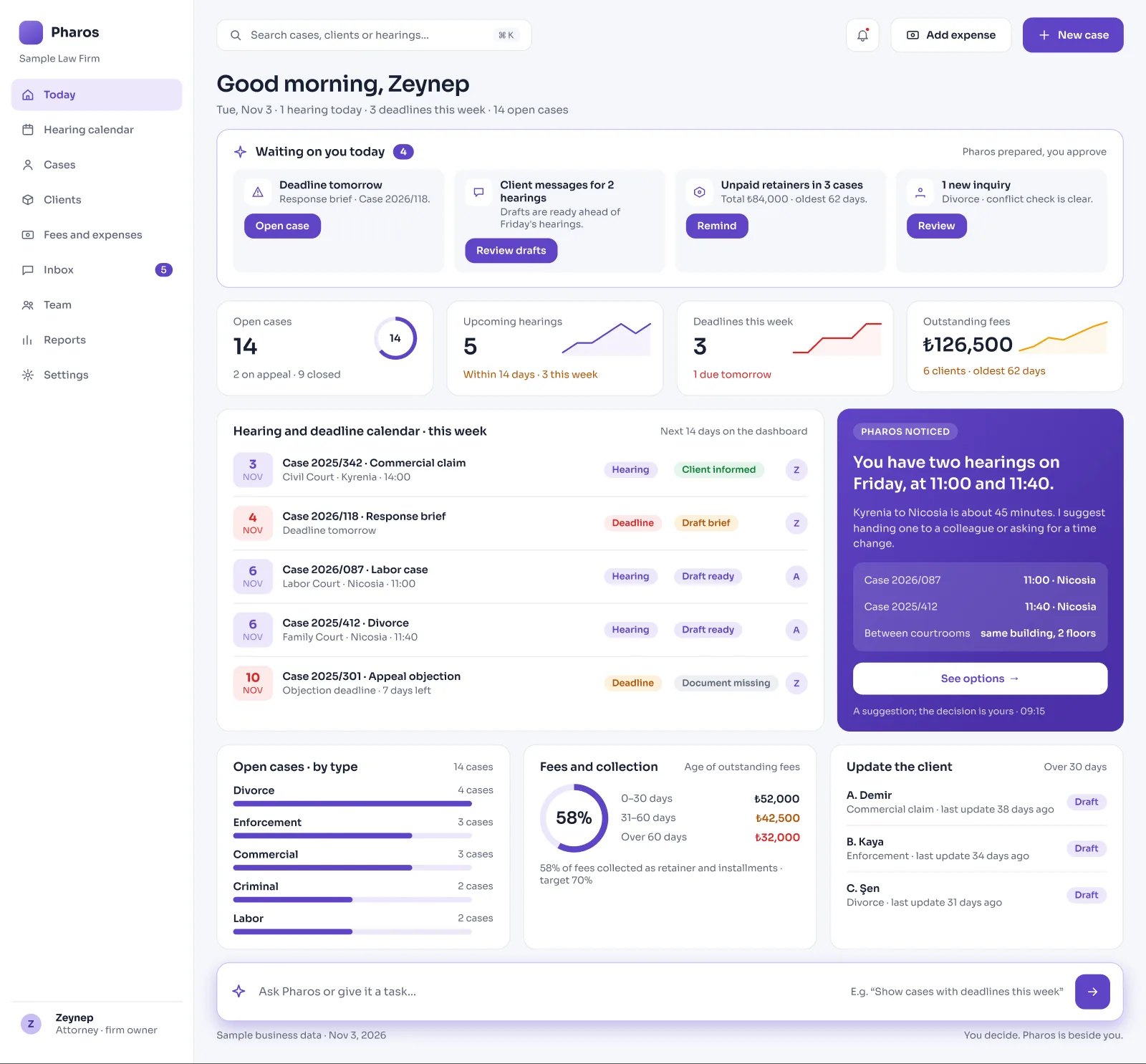
Upcoming hearings, the stages of open cases, and client messages are gathered on one central home screen.
Screens from the Panel
This is how Pharos looks in your business.
Names and numbers on the screens are examples.
A Day in Your Business
You Look in the Morning: When you open your computer or phone, the full list of hearings for the next 14 days, the latest status of open case files, and client messages waiting for a reply are ready in front of you.
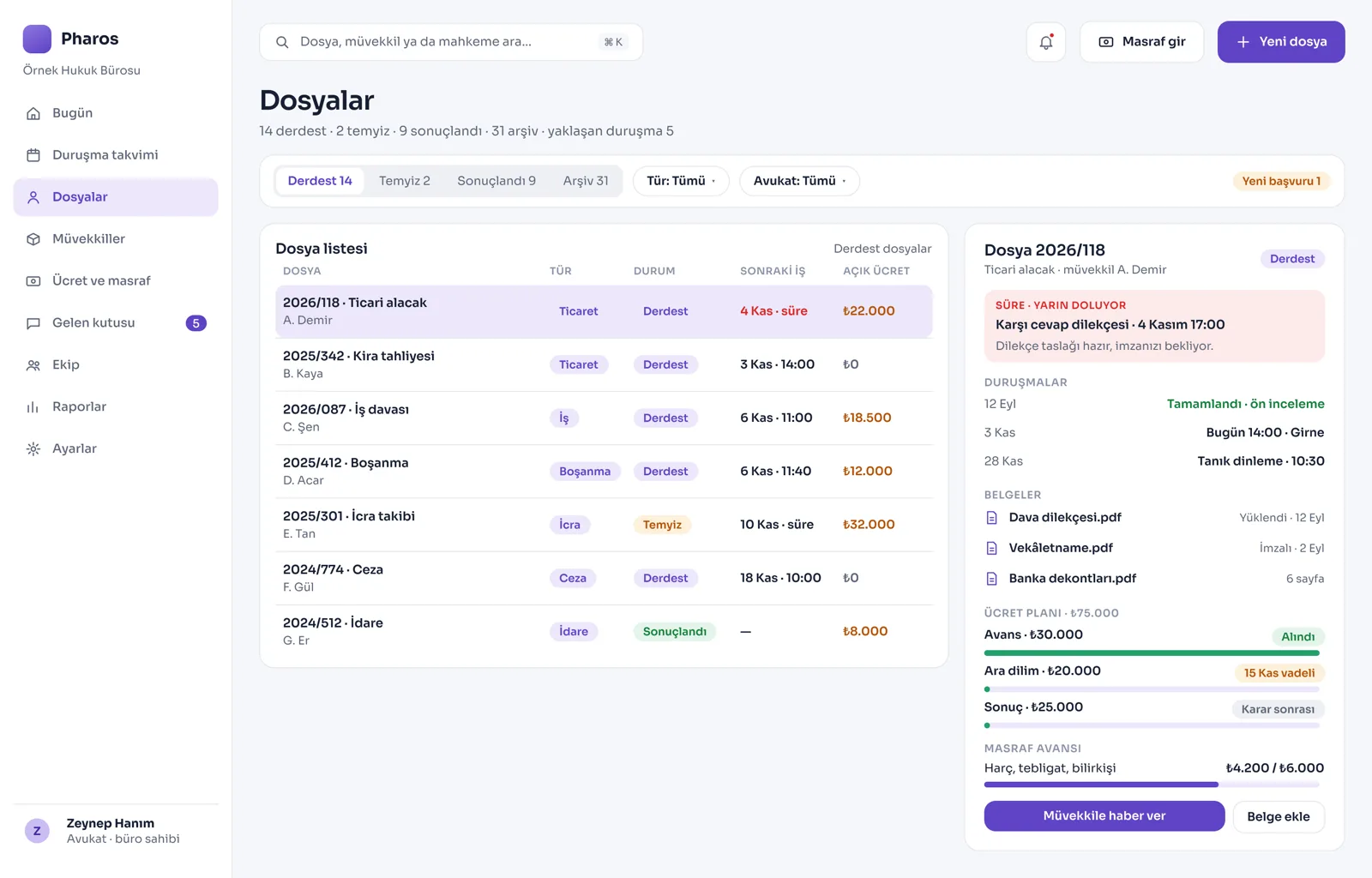
During the Day: The appointment times of client meetings, case notes, and the agreed attorney fees are entered on the same digital file card.
No Longer Your Problem
- Searching paper planners and planner pages for critical hearing dates or legal deadlines.
- Trying to find important messages and documents from clients across different phones.
- Keeping court fees, case expenses, and attorney fees in separate notebooks and mixing them up.
What Pharos does in your business
What Does Pharos Do in Your Law Firm?
Case, File, and Hearing Tracking
- Comprehensive Case Record: Record your cases sorted by type (divorce, enforcement, criminal, commercial, labor, administrative, etc.). Follow case status live as Pending, On Appeal, Concluded, or Archived.
- 14-Day Early Warning: See all hearings in the next 14 days on the home screen. Your active cases, number of clients, and breakdown by case type are laid out in front of you in chart panels.
- Multi-Hearing Process Plan: Manage the calendar more clearly by splitting long, multi-step cases into periods such as the filing stage, witness hearings, or the ruling stage.
- Legal Deadline and Statute of Limitations Alerts: It calculates legal deadlines and statute of limitations dates according to court and procedural rules, and produces early warnings so you do not miss critical days. The final check is the attorney's.
Client Communication and Portal
- Shared Inbox: Collect all messages and documents from your clients, arriving by WhatsApp or through your website, in one central inbox.
- Private Client Portal: Your clients can log in to their own space with their passwords to follow the current status of their case files, send documents to the firm, or view their invoices.
- Automatic Status Updates: Before a hearing, Pharos prepares an automatic reminder message for clients, or, so you do not leave a client alone in a long case, drafts "monthly status update" messages.
- Conflict of Interest Check: When a new client inquiry arrives, the system scans past records and automatically checks whether there is a conflict of interest between you and the opposing party.
Case Expenses, Attorney Fees, and Finance
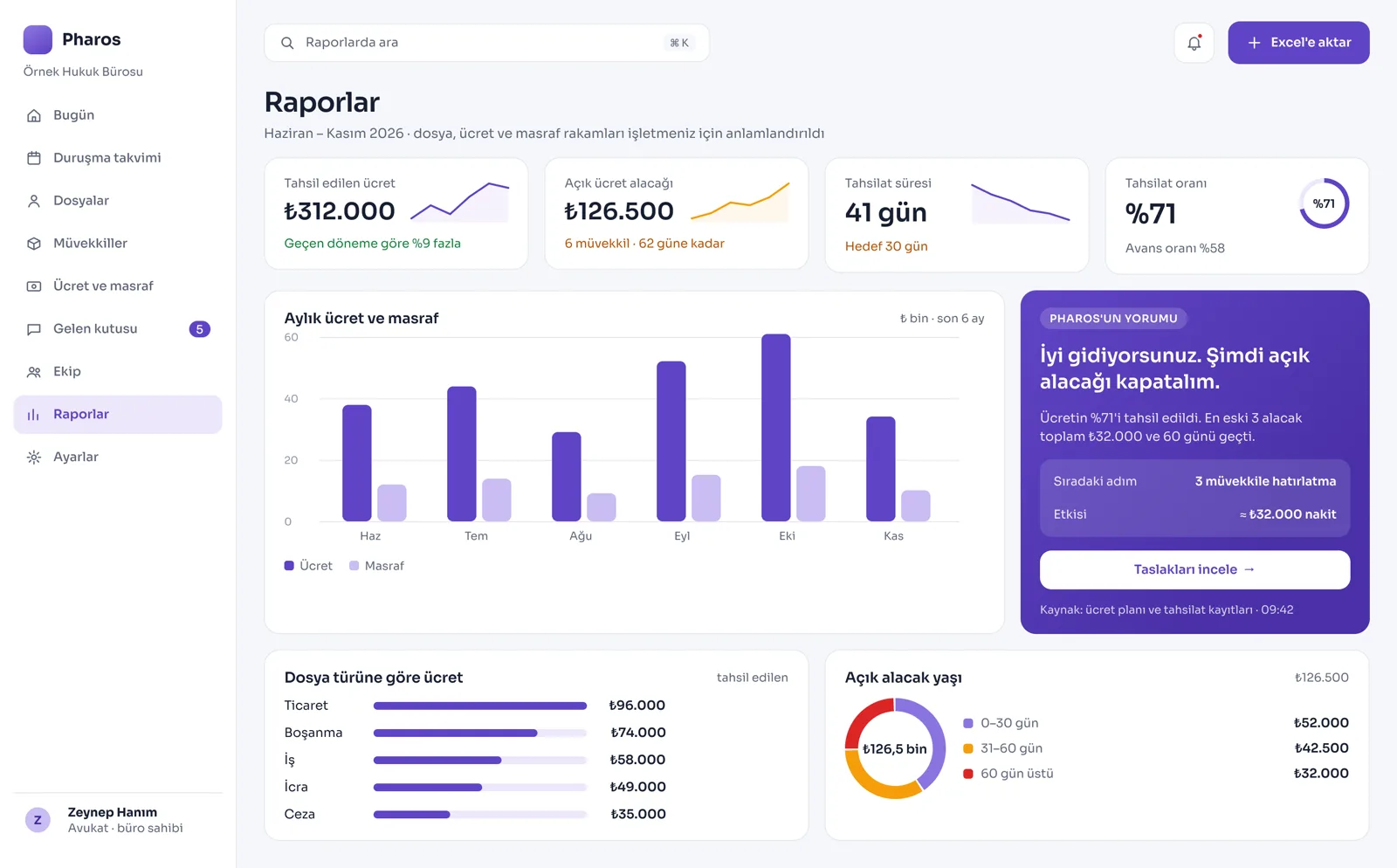
- Tiered Fee Plan: Plan attorney fees as an advance, an interim stage, and success-based tiers tied to the outcome; track the waiting age of open receivables. Have powers of attorney and fee agreements approved digitally with an e-signature.
- Separate Expense and Advance Account: Track case expenses such as court fees, service of process charges, and expert witness fees, as well as expense advances received from the client, in a transparent way, completely separate from the attorney fee.
- Time-Based Billing: Record the working hours spent on consulting and litigation work; turn these hours directly into an official service invoice with one click. Report your expenses and the firm's net profitability.
Document Management and Digital Infrastructure
- Document Generation from Templates: Upload the documents and petitions you want to a case file. Generate frequently used legal texts from ready templates in seconds.
- Legal Knowledge Base Support: Reach legal regulation information quickly using the specialist assistant inside the system, for the attorneys or trainees at the firm. It also gives you your own website, updated from the panel.
Is there something specific to your law firm or the way you work that is not on the list? Write it below, and we will tell you right away whether we can add it to Pharos.
Frequently Asked Questions
Does it track hearing dates?
Yes. It keeps all hearing dates entered in the calendar or linked to court proceedings in the system's memory. It brings upcoming hearings in front of you as a priority task list on the morning opening screen.
Does client information stay confidential?
Yes. Each law firm's data is kept in a completely separate, closed space. Your information is backed up in encrypted form and is not sold or used in advertising.
How do I record legal fees?
Open the relevant case file and enter the total attorney fee, the advances received, and the due dates of the remaining installments with one click. As payments are made, the remaining balance is deducted automatically and the current balance is posted to the client card.
Let's work out your first roadmap for your law firm together.
Tell us about your law firm. We prepare your free roadmap and a personal demo. No commitment.
Apply