Hotel and guesthouse
Pharos tracks rooms, cleaning status, and bookings in your hotel and guesthouse.
Pharos does not allow two different bookings to be written for the same room on the same night.
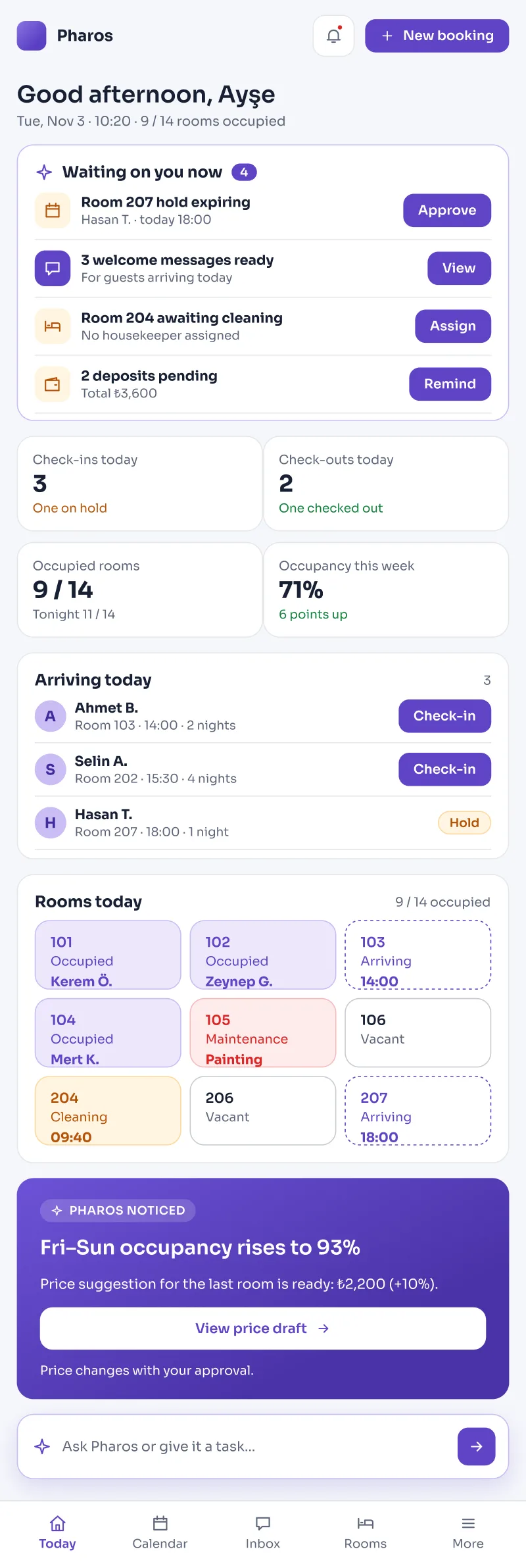
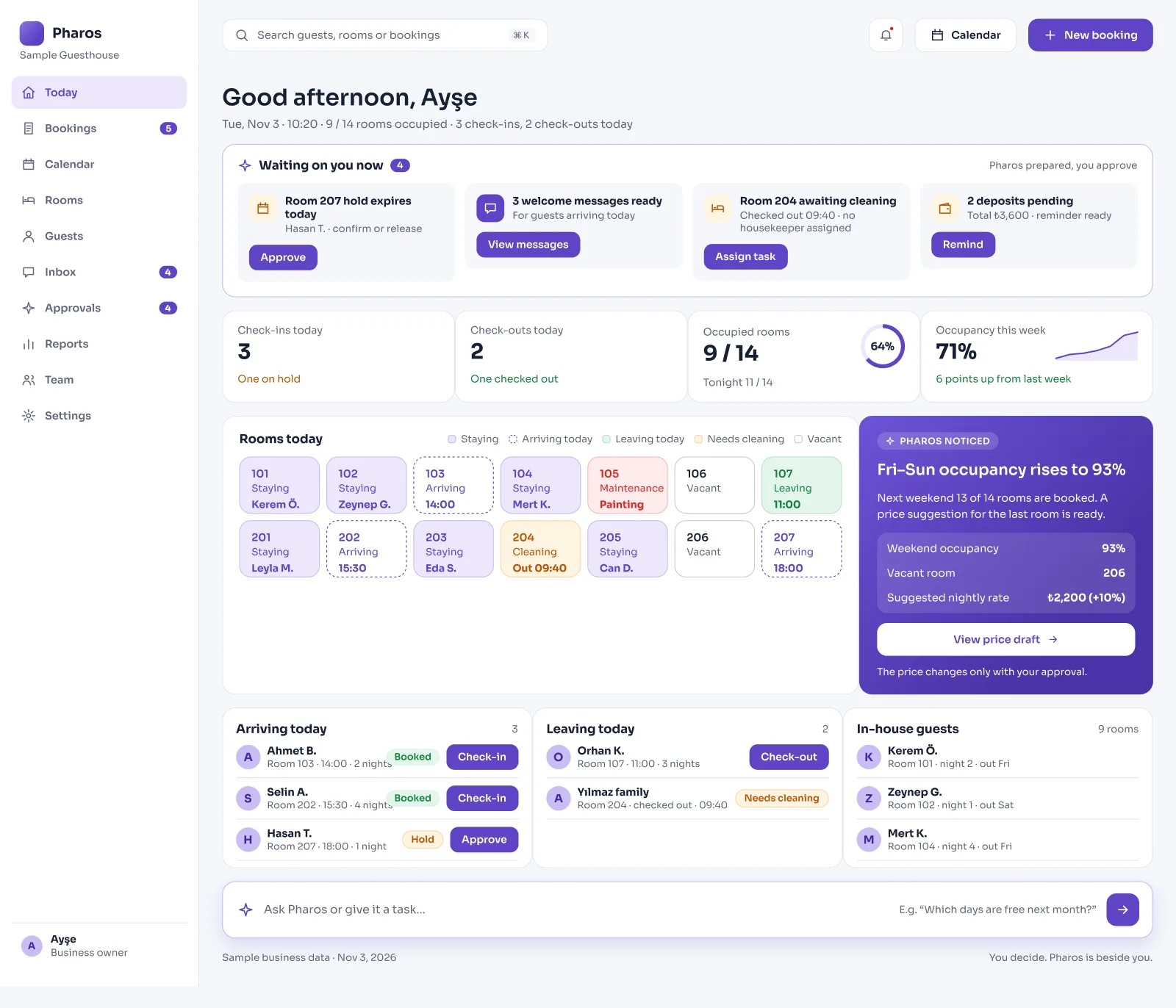
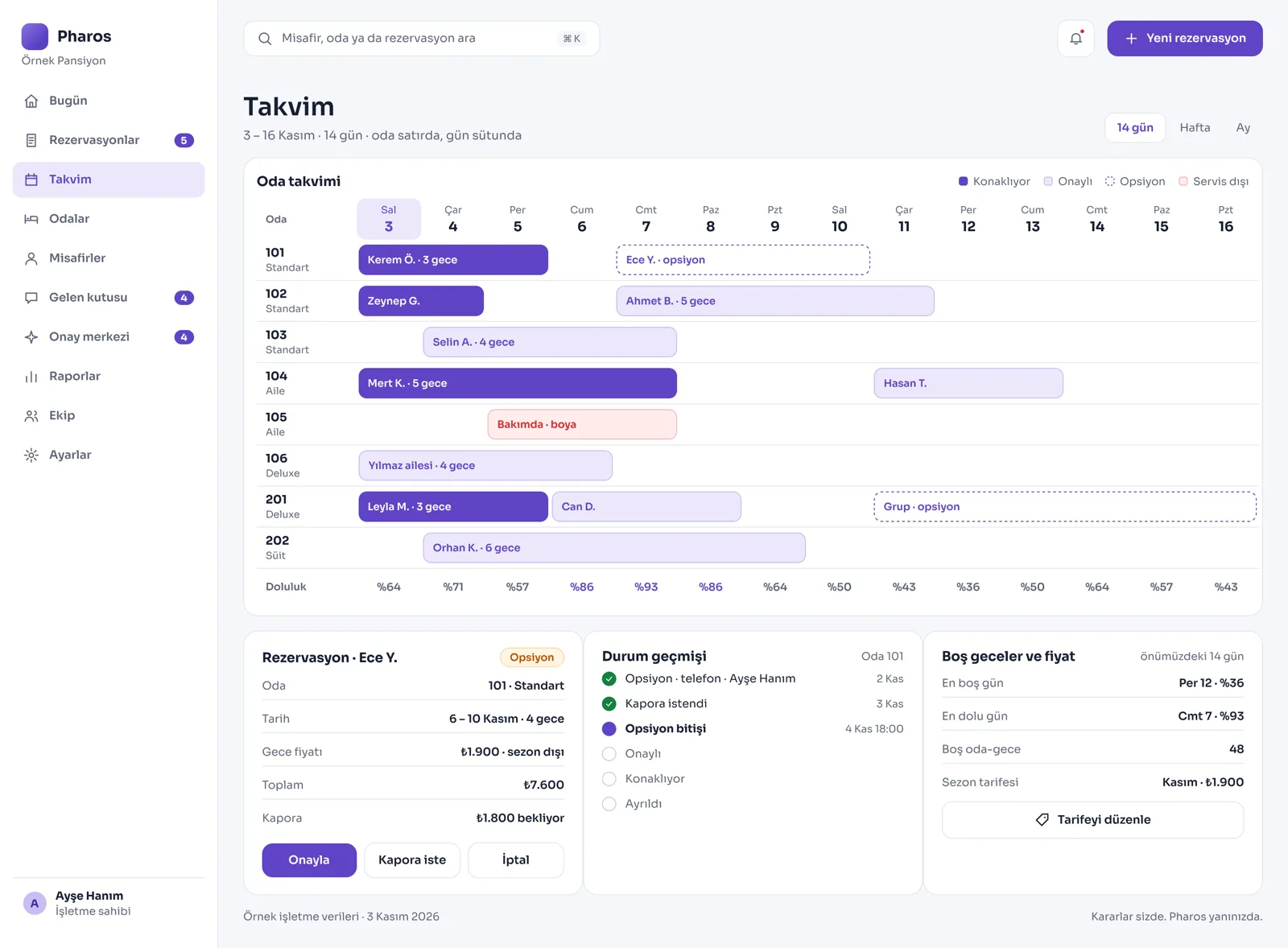
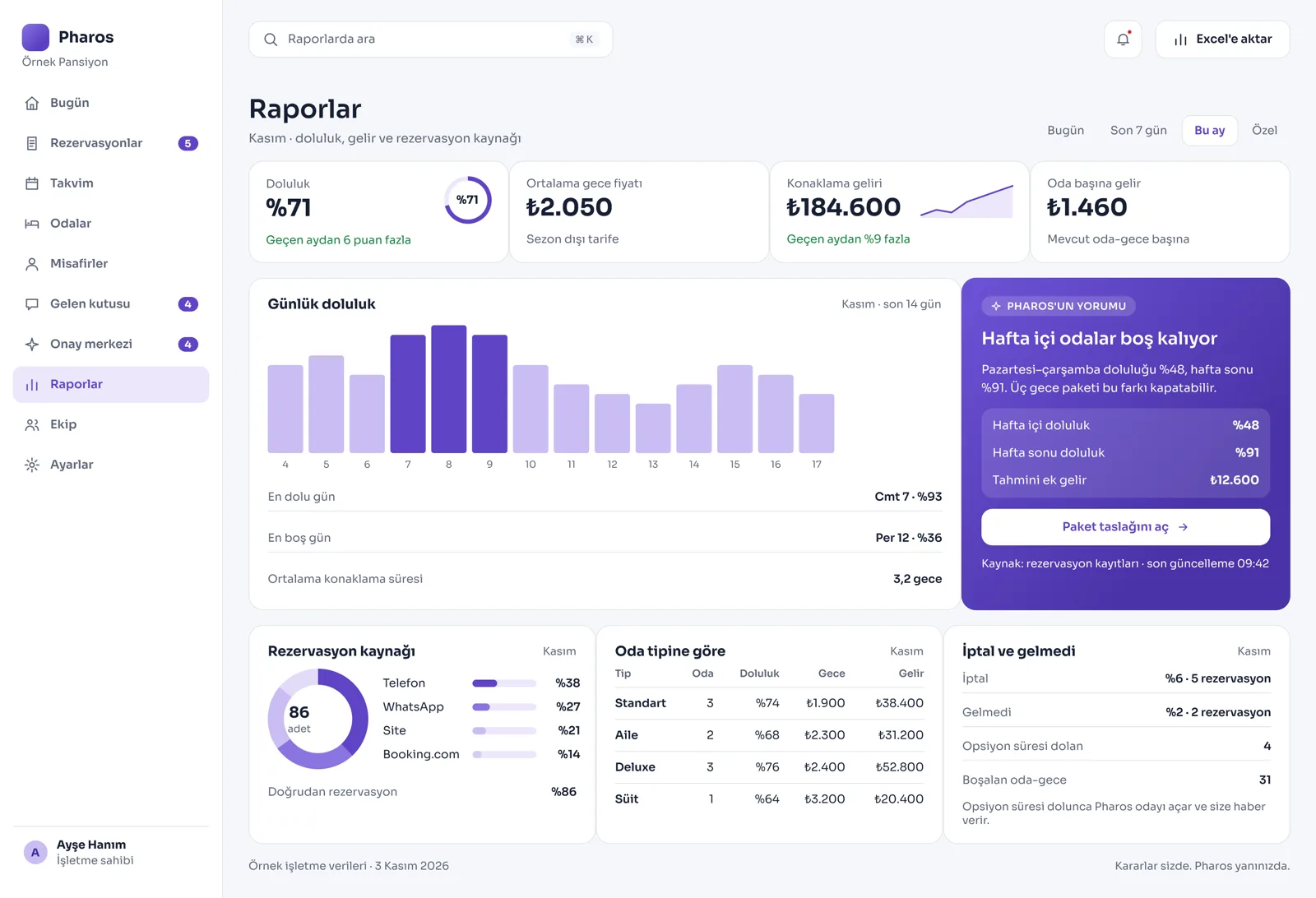
Screens from the Panel
This is how Pharos looks in your business.
Names and numbers on the screens are examples.
A Day in Your Business
Start the Day at the Front Desk: Which guests arrive today (check-in), who leaves (check-out), and which rooms are occupied right now are ready on the morning opening screen. You get the arrival and departure lists with one click.
During the Day: Housekeepers see only the list of rooms they need to clean on their own phones. For security and data privacy, guests' phone numbers or full surnames are not shown to housekeepers.
No Longer Your Problem
- Mixing up the days while writing bookings into big room ledgers by hand, or selling the same room to two people.
- Searching, while standing in front of a guest at the front desk, for which room is clean, dirty, or under maintenance.
- Preparing arrival, departure, and cleaning lists on paper one by one every morning for housekeepers or the front office.
What Pharos does in your business
What Does Pharos Do in Your Hotel and Guesthouse?
Bookings Without Overlaps and Front Desk Management
- Room and Capacity Guarantee: Define your rooms in the system by number, type, and bed capacity. Pharos does not allow two records to be opened for the same room on the same night, or more guests than the room's capacity to be entered.
- Step-by-Step Check-in/Check-out: Open bookings first as Option, then confirm them with the Confirm button once payment arrives. Check in with one tap on the arrival day. When a guest checks out early, the system automatically reopens the remaining nights for the room.
- Wrong-Action Protection: Only an authorized manager can mark a record as "No-Show" when a guest does not arrive at the hotel. You can undo a mistaken check-in or no-show record, with a reason, within 24 hours. If two staff members try to change the same room at the same time, the system warns the second one right away so that no mistake is made.
Live Room Calendar and Housekeeping
- 14-Day Color Plan: Follow the property's occupancy with colored bars on a live 14-day room calendar, where rows show rooms and columns show days. Easily move bookings to other rooms or dates on the calendar.
- Privacy-Focused Housekeeper Screen: The cleaning team sees only its own task list and the cleaning status of the rooms (Dirty, Clean, Awaiting inspection). For data security, the guest's name appears on the housekeeper's screen only in hidden form, such as "Room 101 · Y."
- Maintenance and Out-of-Service Rooms: Close rooms that will not be used because of renovation or a fault for sale between certain dates. If there is a future booking for that room, the system does not allow the room to be closed and warns you.
Till, Channel Sync, and Official Notifications
- Folio and Account Management: Collect guests' room charges, deposits received, and extra services (minibar, breakfast, etc.) on a single account card (folio), and issue the invoice. Set different room price rates by season, weekend, or special day.
- Channel Synchronization: Keep your room counts in balance with international sales channels such as Booking.com; when a room is sold, the count drops automatically elsewhere. Let your guests make online bookings and online check-in directly through your own website.
- Identity Notification to Official Authorities: Keeps ready the notification infrastructure you need to send staying guests' legal ID and passport details to the systems of the relevant official authorities.
Management, Permissions, and Reporting
- Complete Reporting: Review financial reports showing the property's occupancy rates, daily room revenue, and total earnings. Get quick manager summaries from your hotel data with the AI assistant.
- Roles Within the Property: Give your staff screen permissions only for their own work with the roles of owner, manager, front desk, and housekeeper. The system records every status change (who changed which room, and when).
Is there something specific to your hotel or guesthouse that is not on the list? Write it below, and we will tell you right away whether we can add it to Pharos.
Let us map out your first roadmap for the hotel and guesthouse together.
Tell us about your hotel and guesthouse. We prepare your free roadmap and a personal demo. No commitment.
Apply