Auto repair shop
Pharos keeps work orders, quotes, and appointments for your auto repair shop in one digital record.
It prepares the price quote and the "Your car is ready" notification message for the customer automatically.
Screens from the Panel
This is how Pharos looks in your business.
Names and numbers on the screens are examples.
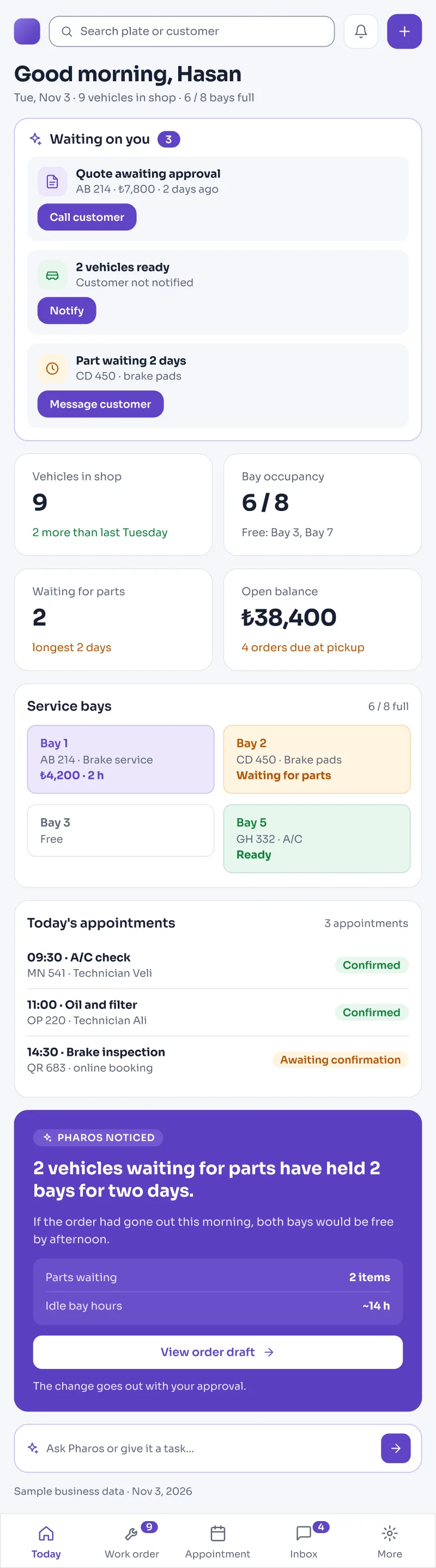
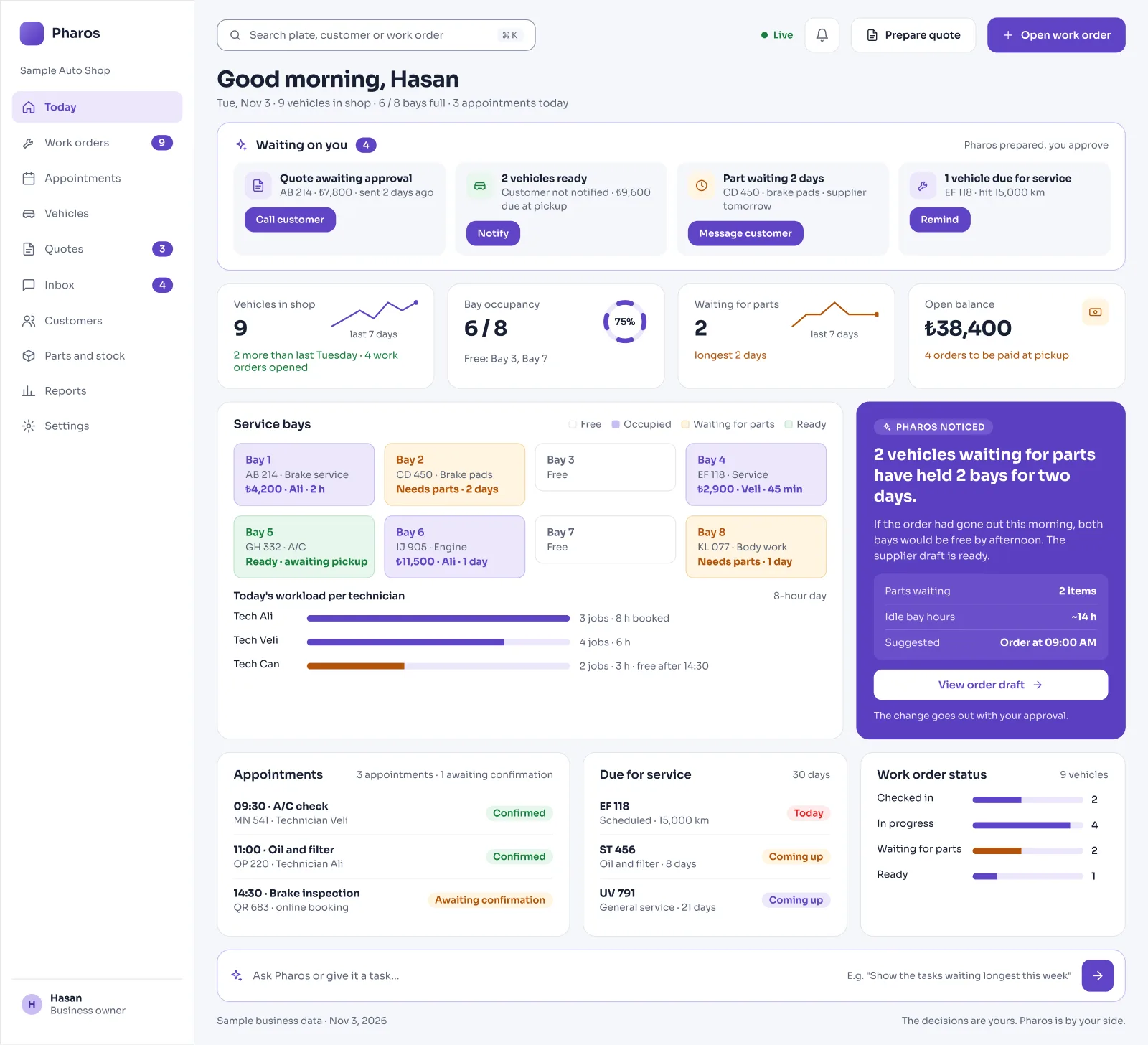
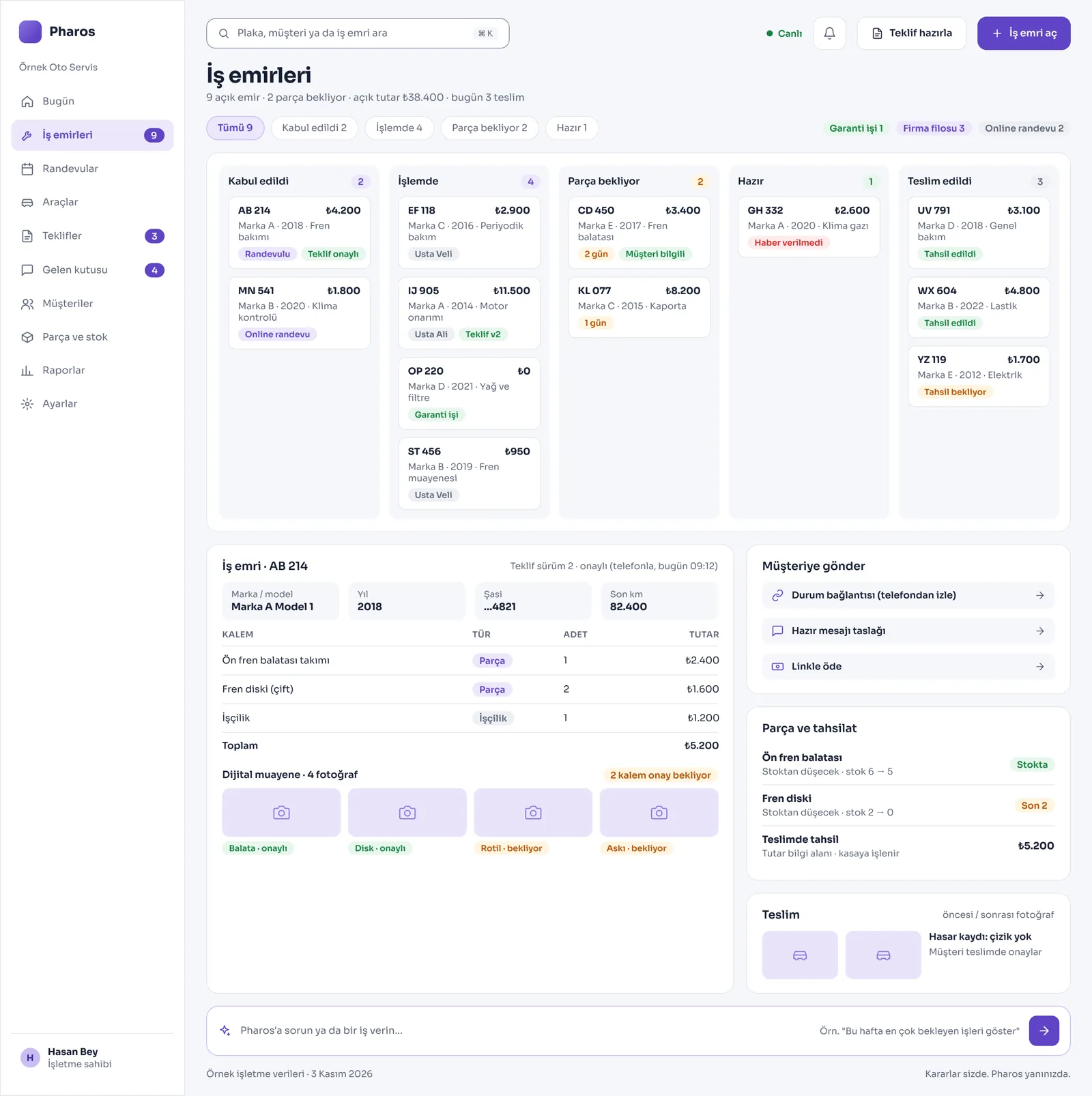
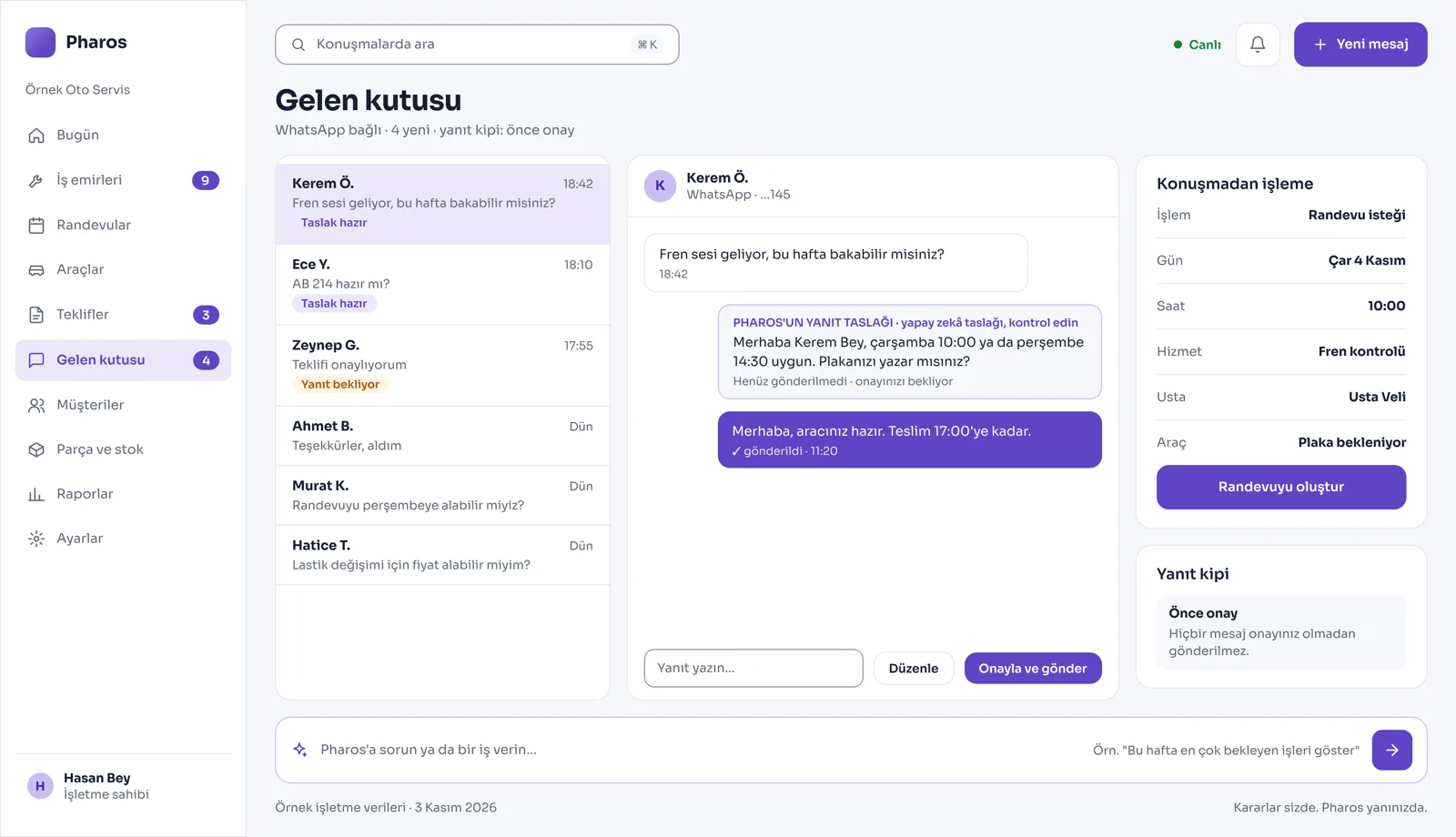
A Day in Your Business
You Open the Shop: The screen lists how many cars are in the shop right now, which ones are waiting for parts from the wholesaler, and which ones are ready to hand back to their owners.
During the Day: Pharos prepares the price quote and the current status message for the work on each car. Once you check it on screen and approve, the message goes straight to the customer's phone on WhatsApp.
No Longer Your Problem
- Writing work orders on paper, losing them in the workshop, and mixing up which job goes on which car.
- Forgetting loyal customers whose periodic maintenance is due or whose mileage limit has been reached.
- Adding up part and labor prices and typing them to each customer by hand in a phone message.
What Pharos does in your business
What Does Pharos Do in Your Auto Repair Shop?
Work Order and Vehicle History Management
- Digital Work Order Card: Open a digital work order for every car that comes in, with the plate, customer details, jobs to do, and estimated amount. To keep the process in order, the system automatically blocks stage changes that break the logical sequence and records cancellations with their reason.
- Stage-by-Stage Tracking: Follow each car's journey through the shop live (Received, In Progress, Waiting for Parts, Ready, Delivered).
- Fixed Plate and Service Transfer: The plate is saved once (make, model, year, chassis number). Even if the car changes hands, its earlier repair history stays in the system under the plate.
- Fleet and Dealership Management: Open a separate work order for up to 40 cars of a company fleet with one click and produce period summaries. Track the remaining warranty time and first service dates of warranty cars sold from the dealership.
Quotes, Approval, and Smart Communication
- Quote with Labor and Part Items: Prepare price quotes that show labor and part costs separately. The moment the customer approves one version of a quote, that version is locked in the system and cannot be changed.
- Extra Work Safeguard: For extra faults found during disassembly, no new item can be added to the work order without the customer's approval. The customer's approval record (with its source and note) is saved in the system.
- Customer Status Link: With a special link you send to the car owner, your customer can follow the repair stages live on their own phone, give approval, and, if you wish, pay through the link.
- WhatsApp Message Drafts: "Your car is ready" and status update messages land with you as drafts for approval; they reach the customer the moment you press the send button.
Workshop Logistics, Stock, and Appointments
- Parts Stock and Orders: The moment a spare part is written on a work order, it is automatically deducted from parts stock. Search missing parts in the supplier catalog, order them, and get an early warning for parts that arrive late.
- Lift and Technician Occupancy: Follow the daily and hourly occupancy of the lifts, service bays, and technicians in the service area live.
- Digital Vehicle Inspection: When you receive the car, take before and after photos of damaged areas and have the customer confirm the findings digitally.
- Mileage and Maintenance Reminder: It tracks periodic maintenance times by each car's mileage and prepares an automatic reminder for the owner when the next maintenance date is near.
- Appointments Confirmed by the Front Desk: Your customers can see open slots on your website and book an appointment. These requests, made according to the technician and assistant technician split, are added to the calendar after the front desk approves them.
Financial Flow and Reporting
- Till and Collections: Record collections in the till clearly and get the end-of-day till closing report.
- Performance and Fault Analysis: Review your shop's revenue, repair time spent per car, and chronic repeat faults in reports. It also provides a website of your own, updated from the panel.
Is there something specific to your auto repair shop or garage that is not on the list? Write it below, and we will tell you right away whether we can add it to Pharos.
Frequently Asked Questions
Can I see what stage the cars in the workshop are at?
Yes. From your phone or computer panel, you can follow live, with colored stage cards, which car is being worked on at the lift, which is waiting for parts, and which is ready for pickup.
Does it track work orders?
Yes. From the moment the car is received at the shop, it tracks the whole process through a single digital vehicle card: the work orders opened, technician assignments, the parts used, and the moment of delivery.
How do I tell the customer the price?
Pharos blends part and labor costs into a quote draft. You send the quote to the customer on WhatsApp as a link with one click. The customer reviews the items on their phone, and the moment they press the approve button, the repair process starts in the system.
Let us map out your first roadmap together.
Tell us about your auto repair shop. We prepare your free roadmap and a personal demo. No commitment.
Apply