Gas station
With Pharos, tank levels, shifts and till differences at your station are clearly visible.
At the end of the shift, it compares the expected revenue in the system with the cash actually counted and catches shortages right away.
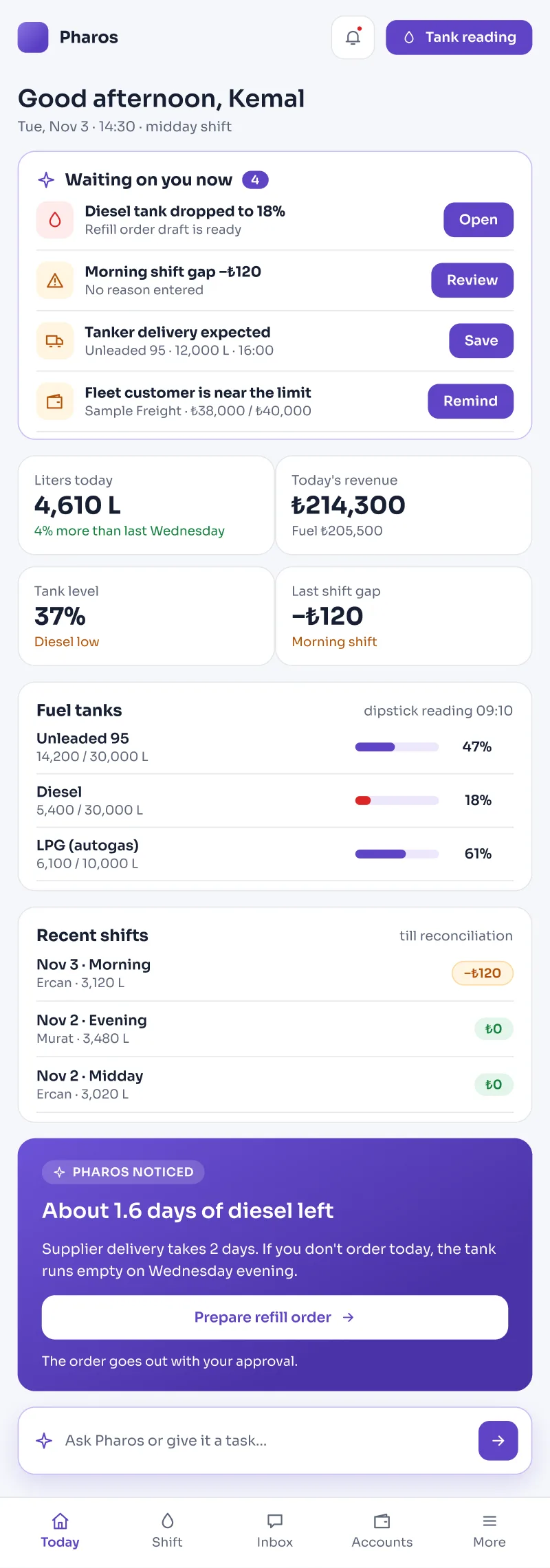
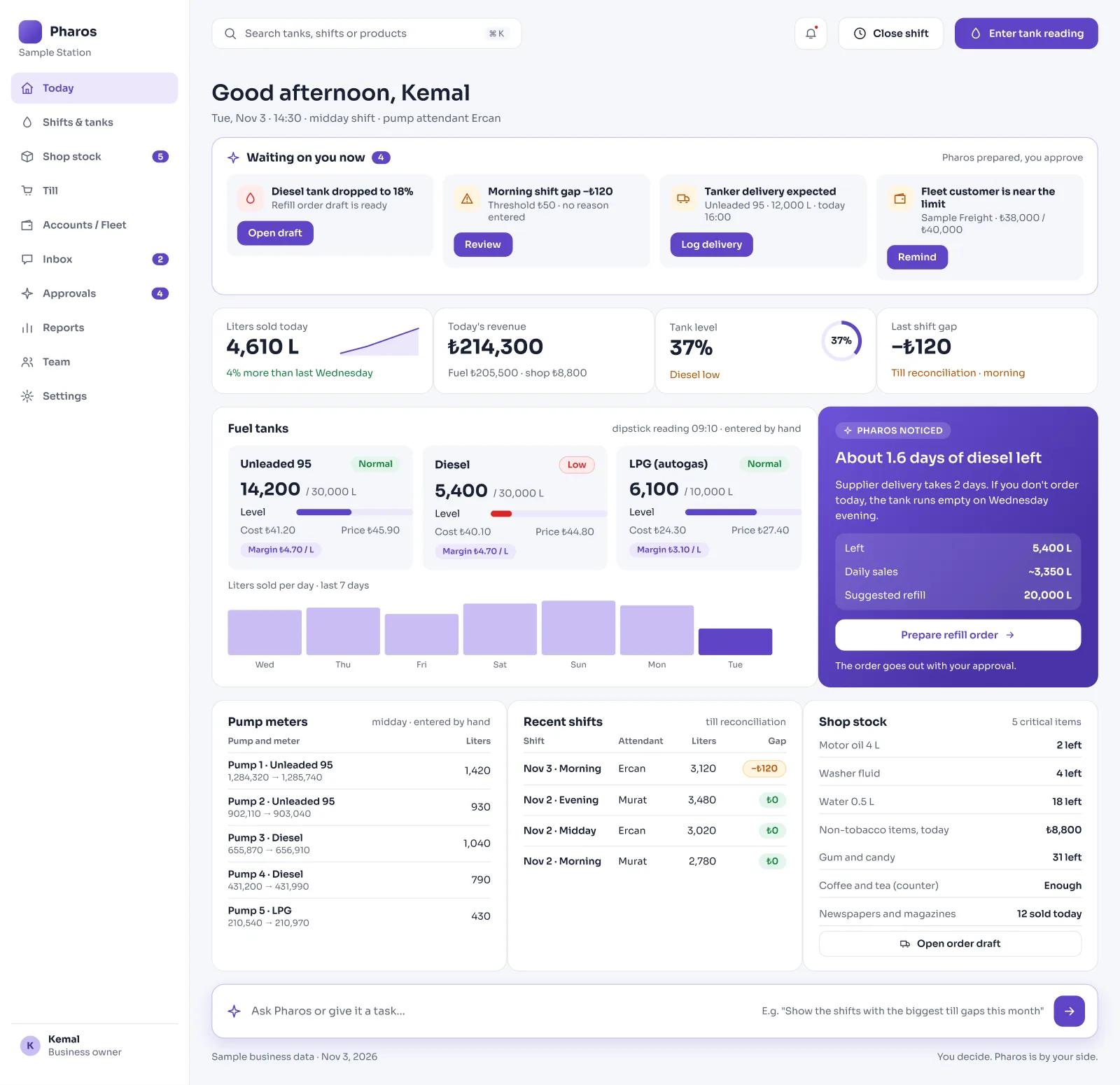
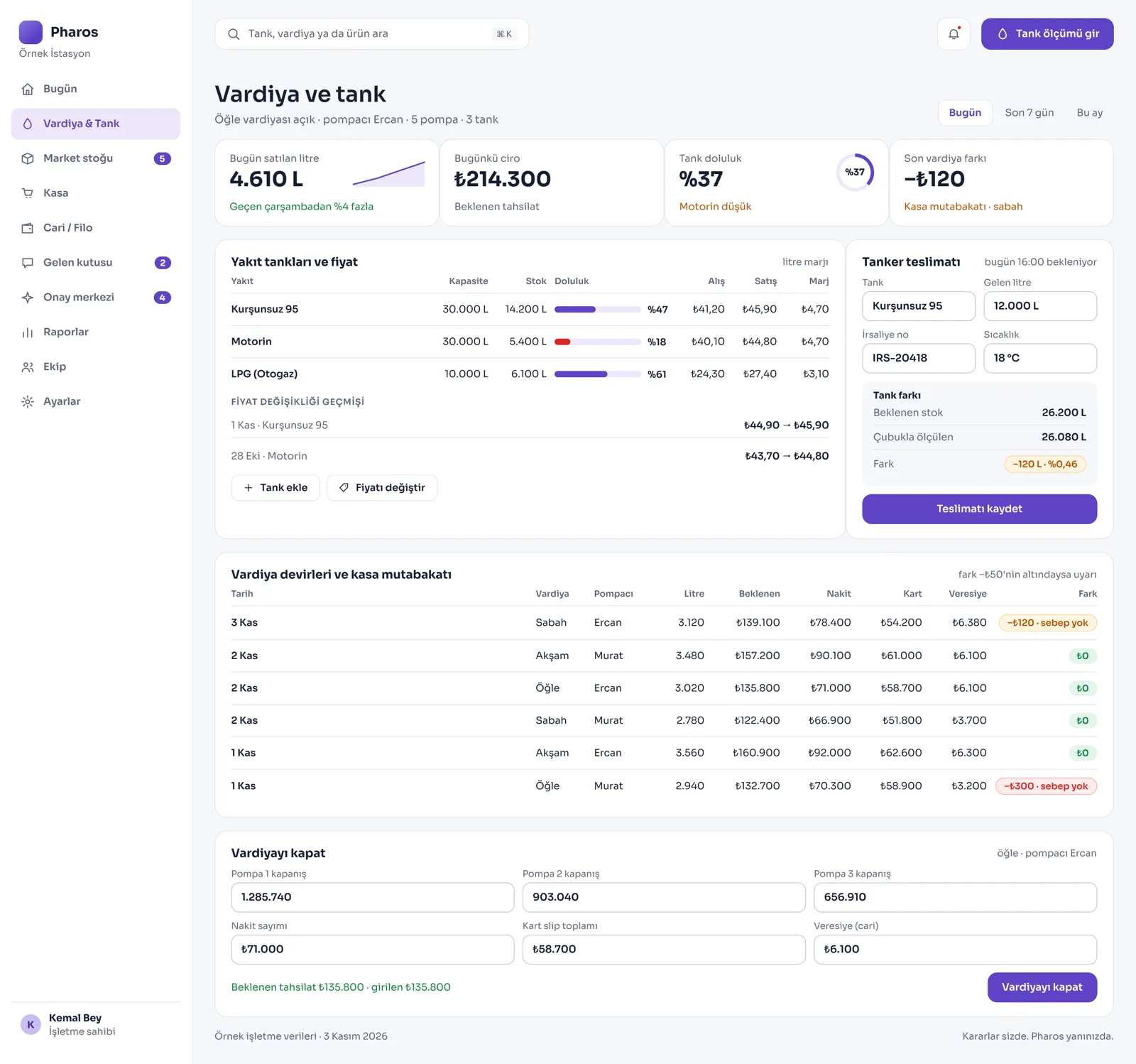
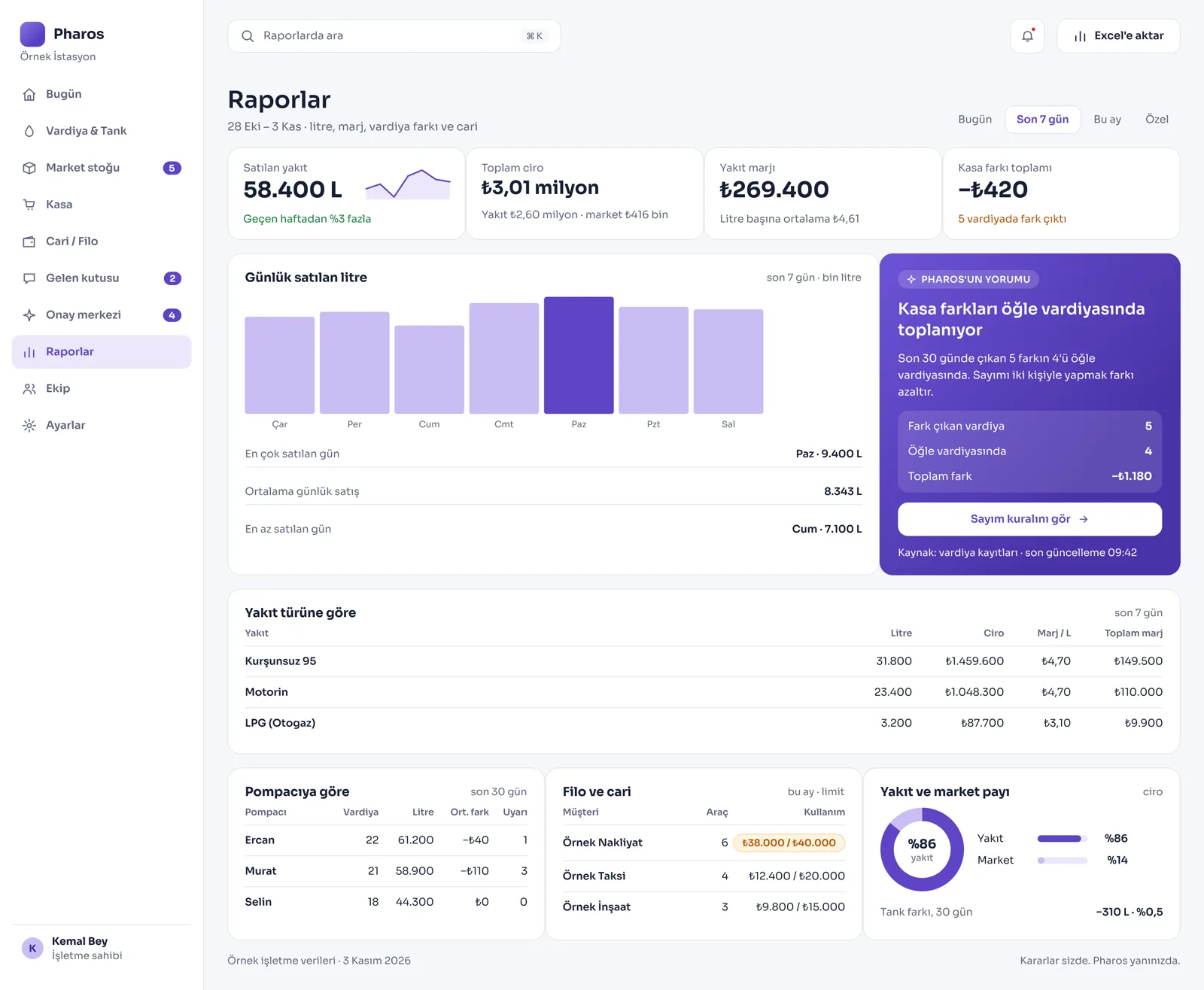
Screens from the Panel
This is how Pharos looks in your business.
Names and numbers on the screens are examples.
A Day in Your Business
The Shift Ends: Pharos compares the expected revenue coming from the pump meters with the breakdown of cash, card and credit sales. If there is a difference, it warns you right away.
During the Day: When your tank levels fall below 25 percent, you get a notification to plan a new fuel refill. All sales and stock processes of the station store run in the same panel, at the same time.
No Longer Your Problem
- Spending hours calculating till and meter differences at shift handover on paper and in a notebook.
- Trying to guess exactly how many liters of fuel are left in the tanks and when they will run out.
- Keeping the station store's stock and till in separate, disconnected programs from the fuel sales.
What Pharos does in your business
What Does Pharos Do at Your Gas Station?
Tank Safety and Fuel Management
- Live Tank Tracking: Track the current liters, fill percentages and total capacities of the tanks by fuel type (Unleaded 95, Diesel, LPG).
- Early Tanker Notice: When a tank level falls below 25 percent, the system automatically gives a "plan a refill" warning. Record tanker deliveries in the system with liters and delivery note details.
- Automatic Stock Deduction: When a sale is made at the pumps, the tank stock drops by itself within seconds. With the tank variance feature, compare the liters expected in the system with the liters measured by the sensor every day, and check for leaks or meter drift.
- Price and Profit Changes: Keep fuel price changes and the stock cost history in the system; follow your purchase price, sale price and net profit margin per liter live.
Shift Handover and Pump Reconciliation
- Shift Handover: Close shifts by date, shift (morning/noon/evening) and pump attendant's name. Enter pump and nozzle meter readings into the system, or connect to the pump automation so the data arrives by itself.
- End-of-Shift Till Reconciliation: Compare the amount the attendant should hand over with the cash, card and credit amounts actually handed over. If the till difference is large, the system gives a "review the reconciliation" warning.
- Staff and Corporate Account Tracking: Get sales reports by pump attendant. For company vehicles or contracted corporate customers, manage credit account processes by matching fleet cards with vehicle plates.
Station Store and Integrations
- Store Till in the Same Panel: Sell the station store's products by selecting them on screen or by scanning the barcode. Take payment in cash or by card at the moment of sale, and the products drop from the store stock instantly.
- Store Stock and Supply Tracking: Follow the purchase, sale and profit margins of store products; plan your wholesaler orders with critical stock warnings. Record customer returns and exchanges.
- Supplier Orders: Record the orders you give to the wholesaler and follow their status. If the goods do not arrive on the expected day, you get an "order is late" warning.
- Loyalty Program: Manage the program where your customers collect points and rewards, with members, rewards and QR, from the same panel.
- Official and Technical Connections: Set up e-invoice, e-archive and cash register connections. Integrate the automatic tank and sales reporting processes that must be sent to official authorities.
Business Management and Crisis Solutions
- Crisis Management Cards: In unexpected emergencies such as a power outage, meter drift or a fuel leak, it brings up guide cards showing what to do. The AI assistant offers suggestions on shift and stock management specific to your station.
- Live Prices on Your Website: Your station gets its own website. Update the current pump prices and your station services, such as car wash and cafe, from the panel and show them on your website.
- Competitor Price Tracking: Enter the prices of nearby stations by hand and compare them with your own prices.
- Permissions and Closing: Limit screen permissions by setting manager or cashier/pump attendant roles for your staff. At the end of the day, record the expected and counted money with reasoned differences and get the till closing report with confidence.
Is there something specific to your gas station that is not on the list? Write it below, and we will tell you right away whether we can add it to Pharos.
Frequently Asked Questions
Does it make shift handover easier?
Yes. At the end of the shift, it calculates in seconds the revenue the attendant or the meters should bring in, broken down into cash, card and credit. It compares this with the money in hand and puts the difference report in front of the manager.
Does it warn me when fuel runs low?
Yes. When the fuel level in the tanks falls below the critical level you set (25 percent or a limit you choose), it gives an alarm on the morning opening screen and reminds you to plan your tanker order.
Can I see my net profit at the end of the day?
Yes. By combining the purchase costs of the fuels and the store products with their current sale prices, it reports the net profitability your business made that day, after deducting all expenses.
Let us build your first roadmap for a gas station together.
Tell us about your gas station. We prepare your free roadmap and a personal demo. No commitment.
Apply